
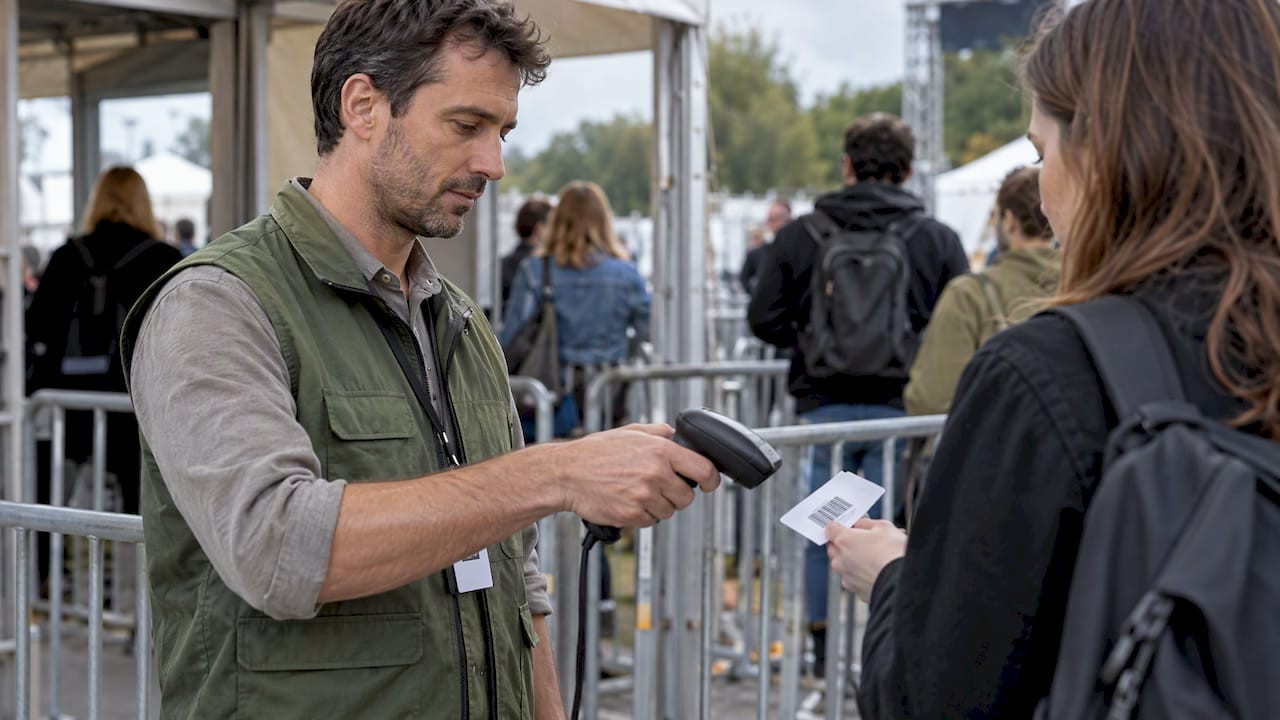
Barcode Ticket Printing for Event Organizers: Catch Duplicate Tickets

Yes, you can print barcoded tickets for your event: use signed 2D or QR tokens where your ticketing platform supports them, and fall back to single-use barcoded IDs with strong scan logic when it does not. Before you commit to a print run, lock in your code type, confirm print specs like size, contrast, and quiet zone, and decide whether your scanners will run online, offline, or a hybrid of both. Run a sample verification pass and pre-sync your scanners or preload your manifests well before doors open.
TL;DR:
- Choose Code 128 for simple IDs and older scanners; use signed QR or DataMatrix tokens for expiry or offline verification, but never print rotating codes.
- Set a clear quiet zone, dark on light contrast, and a code size suited to scan distance; verify samples on gate hardware before approving production.
- Run scanners online first with short network timeouts, then use fully synced offline manifests; without shared live state, duplicate tickets may pass on separate lanes.
- Use a desktop thermal printer for small, quick runs, but choose a specialist for large or security critical batches, sequential numbering, or durable multipart stock.
Table of Contents
- Why barcodes power modern ticketing
- Which barcode types fit tickets: linear vs 2D codes
- Barcode creation and print-quality rules that actually matter
- Choosing where to print: DIY, short-run digital, or a specialist printer
- Scanning and validating tickets at the gate
- Equipment and throughput for busy gates
- How we support barcoded ticket printing at Caymil
- Connecting barcode tickets to your existing systems
- Security features beyond the barcode itself
- Durability: printing for moisture, heat, and handling
- Customizing barcode tickets for hospitals, casinos, and hotels
- What to know about regulatory compliance
- Sample workflows: from print to gate
- What eight years of gate-side troubleshooting taught me
- Ready to print custom barcoded tickets for your next event
- FAQ
- Sources
Why barcodes power modern ticketing
A barcode turns a paper stub into a data point your gate team can check in a fraction of a second. That speed compounds fast: a lane scanning tickets efficiently moves a line far quicker than staff manually checking names against a printed list, which matters most in the first 30 minutes after doors open, when arrivals peak.
Barcodes also close a fraud gap that static paper tickets and screenshots leave wide open. A printed ticket with a unique barcode can be marked as used the instant it scans, so a duplicate, whether photocopied or photographed, gets flagged at the gate rather than discovered after the fact. Screenshots of protected mobile tickets from platforms like Ticketmaster are designed to fail this way too: those tickets intentionally render as blank or protected images when captured outside the official app, which pushes attendees back toward verified entry methods.
Barcoded tickets fit a wide range of event profiles, from a 200-person fundraiser to a multi-day festival with re-entry requirements. A few situations where they make the clearest difference:
- Paid events with resale risk: unique codes catch duplicated or forwarded tickets before they reach the gate.
- Events with re-entry: a scan log tells staff exactly who left and who is still inside.
- High-volume gates: scanning beats manual list checks once attendance climbs past a few hundred guests.
- Multi-day or multi-zone access: different barcode batches can map to different privileges without reprinting the whole run.
For organizers pitching this internally, the argument comes down to throughput and accountability: barcodes give you a timestamped, auditable record of every entry, something a visual ticket check never provides.
Which barcode types fit tickets: linear vs 2D codes
Not every barcode format suits every event, and picking the wrong one creates print or scan problems you will not catch until the gate is already backed up.
Linear barcodes, most commonly Code 128, work well when your data needs are modest and your scanner fleet is older or shared with other operations like parking or retail. They are compact in height but need more horizontal space than a 2D code carrying the same payload, so they fit best on wider ticket stock such as valet or event tickets printed on full-size stubs.
2D barcodes, including QR codes, PDF417, and DataMatrix, pack far more data into a smaller footprint and are the better choice when your ticket carries a signed payload, an expiry field, or both. A QR code can hold a cryptographic signature alongside the ticket ID, which lets a scanner verify authenticity without a live database call, something a linear code’s limited capacity cannot support. PDF417 remains common in boarding passes and some ticketing systems because it balances data density with a shape that reads well at an angle.
A few practical guidelines:
- Use Code 128 for simple sequential IDs, legacy scanner fleets, or when print space is tight in one dimension but generous in the other.
- Use QR or DataMatrix when you need a signed token, an expiry timestamp, or multiple data fields in a small print area.
- Use PDF417 when your platform or hardware already standardizes on it, often inherited from transportation or hospitality systems.
- Avoid static printed codes for platforms that enforce dynamic, rotating barcodes or screenshot protection, since a printed stub cannot replicate a code that changes by the second.
Encoding decisions matter as much as the code type itself. A payload with a digital signature resists forgery because a scanner can check the signature locally, without network access, while a bare sequential number only resists forgery if your scan log catches the duplicate. Building an expiry field into the payload adds another layer: a token that is only valid within a defined window closes off a category of replay attacks that an unlimited-validity code leaves open. Mobile ticketing platforms that block screenshots are solving a different problem than print quality: they are protecting against duplication, not improving scan reliability, so organizers printing physical tickets should treat these as separate design questions rather than assuming one practice covers both.
Barcode creation and print-quality rules that actually matter
A barcode that looks fine on screen can still fail at the gate if the print does not meet a few measurable standards. The GS1 2D Barcode Creation and Printing Playbook lays out the core print-quality controls that apply directly to ticket production: adequate quiet zones, sufficient contrast between the code and its background, and a minimum X-dimension sized for the scanner distance you expect at your gate.
A few targets worth building into your print spec:
- Quiet zone: leave a clear margin around the barcode with no text, logos, or borders crowding it, since a cramped quiet zone is one of the most common causes of failed reads.
- Contrast: print dark codes on light stock; avoid colored backgrounds or low-contrast ink combinations that a camera scanner struggles to resolve.
- Minimum size: match the X-dimension to your scanning distance, since a code sized for a close handheld scan will underperform at a presentation scanner held farther away.
- Substrate match: pick a print method suited to your stock, since glossy or coated paper can introduce glare that a matte thermal stock avoids.
Statistic: The GS1 2D Barcode Playbook ties reliable scans across devices and conditions to meeting ISO/IEC 15415 grade thresholds during verification, which means a barcode that passes a casual visual check can still fail formal grading if contrast or quiet zone falls short.
Your choice of print method follows from your stock and run size. Thermal transfer and direct thermal printing suit short, fast runs and work well for sequentially numbered tickets printed close to the event date, while digital or offset printing suits larger runs where consistent color and finish matter more than speed. Whichever method you use, run a first-article inspection before the full batch prints: pull a handful of early sheets, scan them with the same hardware your gate staff will use, and check for drift in contrast or sizing as the run continues. For situations where you need formal confirmation that a code will perform across different scanner brands and conditions, a verifier compliant with ISO/IEC 15426-2 gives you a documented grade rather than a visual guess.
Static printing, where every ticket carries the same fixed template with only the serial number changing, is simpler to proof and verify. Dynamic printing, where fields like a signed token or expiry window vary per ticket, needs a validation step built into the print workflow itself, since a single corrupted record in a variable-data run can produce a batch of tickets that look correct but fail to scan.
Choosing where to print: DIY, short-run digital, or a specialist printer
Your printing route depends on run size, branding needs, and how much risk a scan failure carries for your event.
Desktop or thermal printing in-house works well for small events and quick turnarounds. It is inexpensive to set up and fast to iterate on, since you can adjust a template and reprint within minutes. The trade-off is durability and consistency at scale: direct thermal prints fade with heat and friction over time, and consumer printers often drift in contrast quality across a long run, which is a real problem if tickets sit in pockets or wallets for weeks before the event.
Short-run digital printing through a local print shop raises the quality ceiling, giving you better color control and a more polished finish for branded tickets. Turnaround is still reasonably fast, though you lose some of the dispenser compatibility and sequential-numbering automation that dedicated ticket printing equipment handles natively.
For large runs, security-critical events, or tickets that need sequential numbering, carbonless multi-part sets, or tamper-resistant stock, a specialist ticket manufacturer is the better fit. That is where production details like multi-part carbonless forms, consistent barcode placement across thousands of sheets, and durable stock built for handling actually pay off, and it is the gap a dedicated printer closes that a desktop setup or general print shop typically cannot.
A practical operational checklist for any print run:
- Proof the barcode on the exact stock and printer you will use for the full run, not a mockup on different paper.
- Verify a sample batch with a scanner matching your gate hardware before approving the full print order.
- Confirm substrate and ribbon compatibility if you are using thermal transfer, since a mismatched ribbon can produce codes that look fine but scan poorly.
- Schedule turnaround with buffer time for a reprint, since catching a print-quality issue the week of the event leaves no room for error.
Pro Tip: Order a small test batch of 50 to 100 tickets before committing to the full run, then scan every one with your actual gate hardware, not just a phone camera, to catch contrast or sizing issues early.
Scanning and validating tickets at the gate
A well-printed barcode still needs a validation workflow that holds up under real gate conditions, including spotty venue Wi-Fi and a line that will not wait.
The most resilient pattern is online-first with graceful degradation: scanners check a live database when connectivity is good, and automatically fall back to a local dataset when it is not. Setting a short timeout on that online check matters, because a scanner that hangs for several seconds waiting on a failed network call creates exactly the bottleneck you built the barcode system to avoid.
Preloaded manifests solve the offline half of that equation. Before doors open, every scanning device downloads a compact list or digest of valid ticket IDs, which lets it make an instant accept or reject decision without a network call. According to a practical writeup on offline-capable event check-in, generating a compact manifest or Bloom filter per device keeps the dataset small enough to sync quickly while still giving every scanner a complete, current picture of which tickets are valid.
The trade-off with preloaded manifests alone is passback: if two devices are not sharing state in real time, the same ticket could be scanned as valid on two separate lanes before either device knows the other already admitted it. A few approaches close that gap, each with different engineering costs:
- Signed tokens verify that a ticket is authentic and untampered, but a signature alone does not tell a scanner whether the ticket was already used elsewhere.
- Manifest digest matching, described in open-source scanner projects, lets offline devices cross-check against a shared snapshot, reducing but not eliminating the passback window.
- Spent-proof or Merkle-based reconciliation, used in some offline ticketing implementations, gives the strongest offline protection by letting devices reconcile state once they reconnect, at the cost of more engineering overhead.
For most organizers, the practical steps that reduce risk without heavy engineering are straightforward: sync every device fully before gates open, confirm each device’s clock and manifest version match, keep a durable local log of every scan so nothing is lost if a device crashes, and reconcile logs across all lanes as soon as connectivity returns. None of these fully replace a shared real-time state, but together they catch the overwhelming majority of duplicate-entry attempts without requiring custom backend work.
Equipment and throughput for busy gates
The hardware behind your barcode matters as much as the barcode itself once a line forms. Camera-based scanning apps on a phone or tablet work for smaller gates and lower volume, but they generally scan slower per attempt than dedicated hardware. Presentation imagers, the fixed scanners you hold a ticket up to, handle sustained volume better because staff do not need to aim as precisely. Handheld laser or imaging scanners sit in between, offering good speed with more flexibility for scanning tickets held at odd angles or on a phone screen.
A few configuration details prevent avoidable slowdowns:
- Disable autofocus delays on camera-based scanners where possible, since a half-second focus hunt per scan adds up fast across a long line.
- Avoid glossy or laminated stock for printed tickets, since glare under venue lighting is one of the most common causes of a scanner needing multiple attempts.
- Test under actual gate lighting, not an office or warehouse, since venue lighting, especially outdoors at dusk, changes contrast behavior.
Network planning deserves its own attention, because venue Wi-Fi is often the single point of failure organizers underestimate. A shared network that handles normal staff traffic can buckle the moment hundreds of attendees’ phones join it at once. Pre-syncing every scanning device before doors open, and where possible, running gate scanners on a separate access point or a dedicated mobile hotspot isolated from general guest Wi-Fi, keeps your validation workflow independent of the one network resource everyone else is also fighting for.
Pro Tip: Assign one staff member per lane purely to handle exceptions, like a ticket that fails to scan, so the scanning staff member never has to stop and troubleshoot while a line builds behind them.
How we support barcoded ticket printing at Caymil
Our manufacturing experience includes ticketing products since 1937, offering barcoded valet and event tickets alongside stock and custom formats such as sequential numbering and multi-part carbonless sets. For a branded multi-part ticket run or a large, security-critical print job, that production depth, consistent barcode placement across thousands of sheets, durable stock, and carbonless copies for reconciliation, is where a specialist run outperforms a desktop print job. We support runs that pair barcode encoding with the physical durability a gate environment demands.
Connecting barcode tickets to your existing systems
Most parking and event management platforms already expect a barcode or similar machine-readable field, which means your printed ticket needs to match the data format your software is already configured to read, not the other way around. Before finalizing artwork, confirm with your software provider whether it expects a specific barcode symbology, a fixed-length numeric field, or a particular prefix structure, since a mismatch here is one of the most common causes of a scan that reads fine visually but fails validation in the software.
For parking operations specifically, barcode tickets often need to interoperate with gate hardware from a system like Amano, TIBA, SKIDATA, FLASH Parking, Scheidt & Bachmann, or Flowbird, each of which has its own expectations for ticket dimensions, barcode placement, and data encoding. Confirming compatibility with your specific system before a print run avoids a costly reprint if the gate hardware cannot read a ticket sized or encoded outside its tolerances.
Event management platforms, meanwhile, typically handle the barcode generation and validation logic themselves, leaving the print production as a separate step. In that setup, your job as an organizer is less about encoding and more about making sure the exported barcode data, often a batch file or sequential range, transfers cleanly to whichever printing route you choose, whether that is in-house thermal printing or a manufacturer producing a branded, multi-part run. A short test batch checked against your actual software, not just a visual scan, confirms the integration works before you commit to the full print order.
Security features beyond the barcode itself
A barcode alone does not stop every kind of ticket fraud, and layering physical security features onto the stock gives you protection that a scanner cannot provide on its own.
Tamper-evident materials, such as stock that shows visible damage if peeled or altered, work well for tickets with real resale value or tickets tied to access control, like VIP credentials or hospital visitor passes. Holographic foil or custom watermarks add a visual authentication layer that staff can check quickly without a scanner, which matters as a backup when a device fails or a line needs a faster secondary check. Sequential numbering printed in addition to the barcode gives staff a simple, human-readable cross-check, useful when reconciling attendance counts after the event or investigating a disputed entry.
Multi-part carbonless tickets add another layer specific to operations like valet parking: a claim portion, a vehicle tag, and a receipt copy are all generated from the same numbered set, so the barcode and the physical paper trail stay linked even if a scanner is temporarily unavailable. For events or venues where fraud risk runs higher, pairing a signed 2D barcode with a physical security feature like tamper-evident stock covers both the digital verification and the visual check, giving gate staff two independent ways to catch a fake.

None of these features replace a solid scanning workflow, but they close the gap for the moments when a scanner is down, a line is moving too fast for a full digital check, or a ticket needs to hold up to a manual inspection after the fact.
Durability: printing for moisture, heat, and handling
Parking and valet tickets live a harder life than most event tickets. A valet stub gets handled by multiple people, folded into a pocket, and sometimes left on a dashboard in direct sun, so the stock and print method need to survive conditions a standard event ticket never faces.
Direct thermal prints, while fast and inexpensive, fade with prolonged heat exposure, which makes them a weaker choice for a ticket that might sit on a car dashboard for hours. Thermal transfer printing, which fuses a ribbon onto the stock rather than relying on heat-sensitive paper, holds up better against sun exposure and handling over the same timeframe. For tickets that face regular moisture, whether from outdoor valet stands, rain, or humidity, a coated or synthetic stock resists smearing and tearing in a way standard paper does not.
Handling durability matters as much as weather resistance. A ticket passed between a valet attendant, a driver, and a cashier multiple times needs stock sturdy enough to avoid tearing at the perforation or losing print clarity from repeated folding. Carbonless multi-part tickets, where a claim stub separates cleanly from a receipt copy, need a reliable perforation that holds together during handling but separates cleanly when needed.
Choosing the right combination of substrate and print method up front avoids the more expensive problem of a barcode that scans perfectly on day one but fails by the time an attendee returns to claim their vehicle hours later. Testing a sample ticket under the actual conditions it will face, including a few hours in direct sun or a quick water exposure test, is a small step that catches a stock mismatch before it becomes an operational headache.
Customizing barcode tickets for hospitals, casinos, and hotels
Different industries put different demands on a barcoded ticket beyond the barcode itself. A hospital parking or visitor system often needs tickets that integrate with time-stamped validation for billing accuracy, along with clear printed instructions for patients and visitors who may not be familiar with a facility’s layout. Clarity and simplicity in the print design matter more here than elaborate branding, since the ticket needs to function for a stressed or unfamiliar visitor.
Casinos and hotels, by contrast, often use ticketing as an extension of their brand, which means barcoded valet and parking tickets frequently carry custom colors, logos, and sometimes promotional messaging alongside the functional barcode and sequential number. A casino valet ticket might also need tighter security features, given the higher transaction values and foot traffic typical of that environment, while a hotel ticket more often prioritizes a polished, on-brand look that matches the property’s other guest-facing materials.
Across both of these industries and others like universities or municipal parking systems, the barcode and sequential numbering stay functionally consistent, while the surrounding design, stock choice, and security features adjust to the operational and brand needs of that specific setting. We produce barcoded and custom ticket formats across these use cases, from functional hospital visitor tickets to branded casino and hotel valet stock, with the barcode encoding staying consistent even as the surrounding design changes.
A practical takeaway for any organizer in a specialized setting: define the functional requirements, like time stamping, sequential numbering, or integration with a specific parking system, before finalizing the branding, since the functional layer is harder to retrofit than the visual design.
What to know about regulatory compliance
Compliance requirements for barcode ticketing vary by industry and by what the ticket controls access to, so there is no single rule that covers every use case. Healthcare facilities handling visitor or patient parking tickets may need to account for privacy expectations around any data encoded in the barcode, which means keeping the payload limited to operational identifiers rather than personally identifiable information whenever possible. Event organizers selling tickets to the public should check regional consumer protection rules around refunds, resale, and disclosure, since these can affect what information a ticket or its terms need to display.
Parking operations tied to municipal or university systems sometimes fall under local regulations governing fee disclosure, accessibility, or recordkeeping, particularly where parking tickets double as a revenue or enforcement record. Because these rules differ by jurisdiction and by sector, the most reliable approach is confirming requirements with your venue, your legal counsel, or the relevant regulatory body for your industry rather than assuming a general best practice covers your specific situation.
What stays consistent across industries is the operational value of good recordkeeping: a barcode that logs a timestamped entry and exit creates a clear audit trail, which tends to support compliance obligations even when the specific rule varies by location. Building that record-keeping habit into your ticketing workflow from the start makes it far easier to respond to a compliance question later than trying to reconstruct records after the fact.
Sample workflows: from print to gate
A straightforward example shows how these pieces fit together. A mid-size conference printing 2,000 barcoded tickets starts by confirming its registration software’s barcode requirements, then selects Code 128 for its sequential ID structure since the organizer’s scanner fleet is shared with an older check-in system. The print run goes through a specialist ticket manufacturer for consistent quality across the full batch, with a 50-ticket sample verified on the actual gate scanners before the full order ships. On event day, scanners run online-first against the registration database, with a preloaded manifest as a fallback in case the venue’s internet degrades under attendee load.
A different pattern fits a parking garage issuing barcoded tickets through a machine-issued dispenser. Here, the ticket format needs to match the dispenser’s print mechanism exactly, often a thermal roll ticket compatible with the garage’s existing parking system hardware. The barcode encodes a simple sequential ID tied to entry time, validated against the parking system’s own database at the exit gate, with no need for a signed token since the closed-loop system controls both issuance and validation.
A casino valet operation offers a third variation: multi-part carbonless tickets where the barcode links a vehicle claim stub, a customer receipt, and an internal tracking copy. The barcode here supports both operational tracking and a layer of fraud resistance, since a mismatched stub and claim ticket flag an issue immediately, backed by the physical paper trail the carbonless set provides even if a scanner is briefly unavailable.
Each of these cases pairs a barcode choice with a validation workflow suited to its specific connectivity, scanner fleet, and fraud risk, which is the pattern worth replicating regardless of event type or industry.
What eight years of gate-side troubleshooting taught me
Running gate operations teaches you that the barcode is rarely the point of failure. It is almost always something upstream: a scanner that was not synced, a battery that died at the wrong moment, or a print run that looked fine on a monitor but scanned poorly under venue lighting.
A short pre-door checklist catches most of this: sync every device fully, run ten test scans per device using the actual gate hardware, charge and carry at least one spare scanner per lane, confirm your print sample under the lighting you will actually use, check that staff know the manual override process, verify your network fallback plan, print a backup paper manifest just in case, and assign one person to handle exceptions rather than letting them stall the line.
I remember one gate where a presentation scanner started rejecting valid tickets about twenty minutes in. The fix was not technical: the scanner had drifted out of focus range as staff adjusted its angle to speed up throughput. A ten-second recalibration solved it, but it only got caught because someone was watching for exactly that kind of failure instead of assuming the barcode itself was bad.
For more detail on specific print and format decisions, our team has written practical breakdowns on barcode quiet zone spacing and thermal ticket printing choices worth reviewing before your next print order.
— Richard
Ready to print custom barcoded tickets for your next event
When your event calls for a branded, durable, barcoded ticket rather than a DIY print run, it is built at scale with sequential numbering, custom colors and logos, and multi-part carbonless formats designed for valet, parking, and event entry operations. Stock production and fast shipping options help avoid long waits for runs needed before doors open.
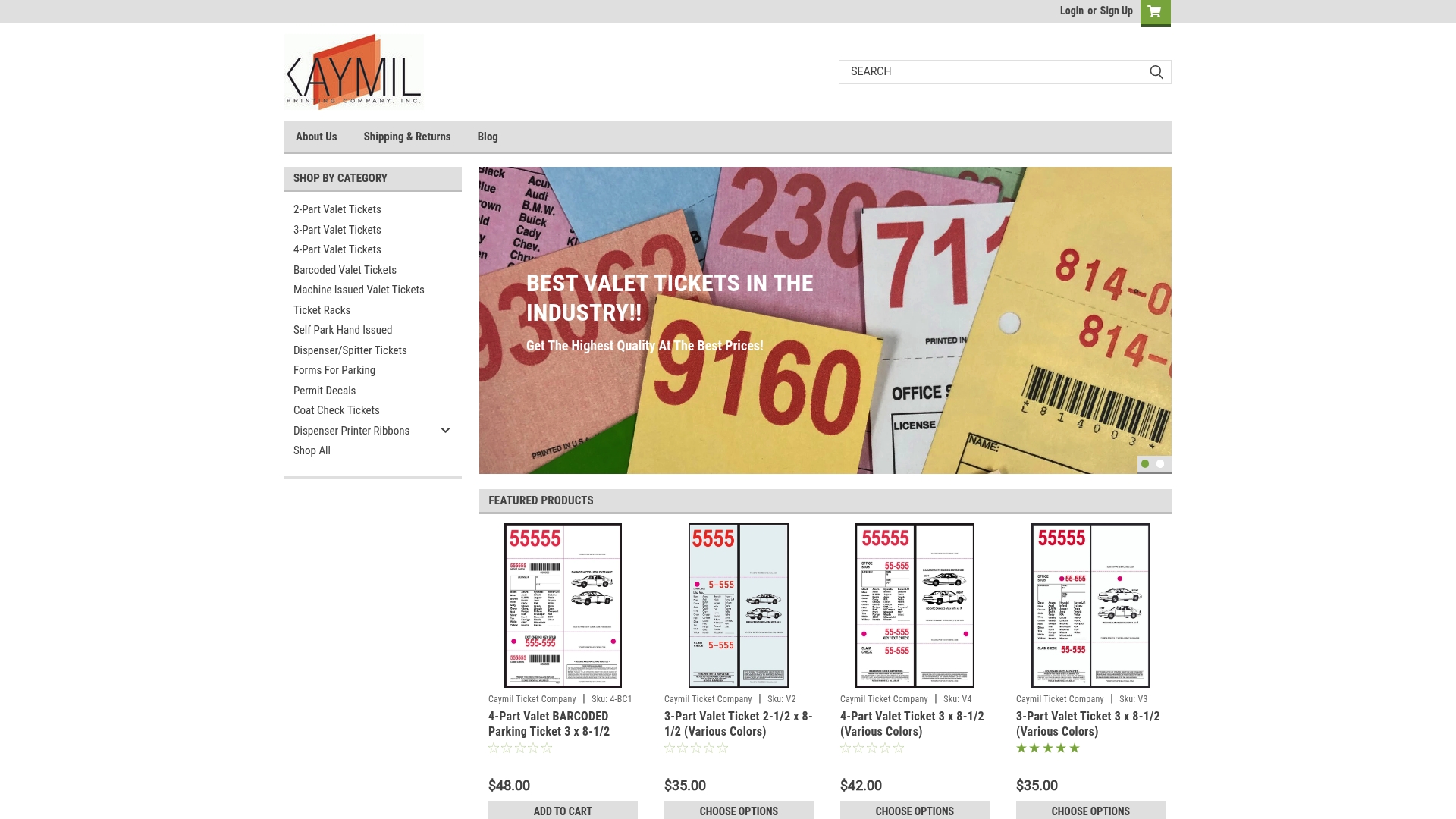
A desktop printer works for a small, low-risk event, but for consistent barcode placement across thousands of tickets, tamper-resistant stock, or compatibility with parking systems, a specialist run can help remove guesswork. Browse our barcoded valet tickets to see formats and get your next run started.
FAQ
Where can I print my plane tickets?
Airlines issue boarding passes through their own check-in systems, either as a mobile pass, an at-home print, or a kiosk printout at the airport, and these are managed entirely by the airline rather than a third-party ticket printer. For event or parking tickets, by contrast, organizers typically choose between in-house thermal printing or a specialist manufacturer depending on run size and branding needs.
What is a ticket scanner?
A ticket scanner is a device, ranging from a smartphone running a scanning app to a dedicated handheld or presentation imager, that reads a barcode or QR code printed or displayed on a ticket to confirm its validity. Scanners can check a ticket against a live database, a preloaded offline manifest, or both, depending on the venue’s connectivity and security needs.
Where can I order custom barcode labels?
Custom barcode tickets and labels for parking, valet, and event use are available through specialist ticket manufacturers that handle sequential numbering, barcode encoding, and durable stock suited to gate conditions. We produce barcoded valet tickets and related formats with custom branding and nationwide shipping for operators who need a reliable, security-ready print run.
Can I just screenshot my Ticketmaster tickets?
No, modern Ticketmaster mobile tickets are designed with screenshot protection and dynamic, rotating barcodes, so a screenshot typically appears as a blank or unusable image rather than a working ticket. These protections exist specifically to prevent duplication and resale fraud, so attendees need to use the official app or wallet integration at entry.
Sources
- Ticketmaster advances ticket security with new mobile ticket design
- GS1 2D barcode creation and printing playbook
- GitHub - kadenz-live/kadenz-scanner: Open-source ticket-validation client
- Designing event QR check-in that works when the venue’s Wi‑Fi doesn’t