

7 Fields Every Parking Receipt Book Design Needs for Facility Managers

Match the format to your operation: carbonless books for valet stands and small lots, thermal kiosk rolls for automated garages, fillable PDF or spreadsheet templates for desk-based invoicing, and mobile app receipts for facilities running app-enabled parking. Whatever the format, print-ready specs and legal card-number truncation aren’t optional. Caymil supplies both stock and custom-built receipt books for every one of these use cases.
TL;DR:
- Operators should match receipt format to transaction volume, with carbonless for under 100 and thermal or app receipts for over 500 transactions daily.
- Every parking receipt must include seven mandatory fields, especially full facility details, date and times, vehicle info, payment method, and a unique transaction ID, to prevent disputes.
- Design specs require 300 DPI resolution, 0.125-inch bleed, CMYK color profile, and embedded fonts; thermal receipts should be scanned instead of archived long-term.
- Fraud prevention relies more on sequential numbering and scannable codes than on physical security features, especially for high-value or valet receipts.
- Using digital receipts or smaller, lighter paper stock significantly reduces paper waste without compromising record-keeping or audit trail integrity.
Table of Contents
- Parking Receipt Book Design: Choosing the Right Format
- What Fields Belong on Every Parking Receipt?
- What Print Specs Make a Parking Receipt Design-Ready?
- Which Security Features Actually Prevent Parking Fraud?
- Where to Find Templates and How to Move From Design to Print
- How Can Parking Receipt Design Reduce Paper Waste?
- Why Most Operators Overthink the Format and Underthink the Fields
- Ordering Custom Parking Receipt Books From Caymil
- Sources
- FAQ
Parking Receipt Book Design: Choosing the Right Format
The format you choose determines almost everything downstream, from how much a dispute costs you to how fast your front desk can issue a receipt during a rush. Get this decision wrong and you’ll either overspend on hardware you don’t need or hand customers a paper slip that fades before tax season.
Manual carbonless receipt books remain the workhorse for valet stands, pop-up events, and small surface lots. They need no power, produce a duplicate copy on the spot, and cost little per unit. Pre-printed fields (date, rate, space number) cut down on skipped entries, though handwriting legibility can be an issue when attendants are working fast.
Thermal kiosk receipts fit automated garages with pay stations or gate arms. They print instantly and integrate with revenue-control systems, but thermal paper fades. Operators should scan or photograph any thermal receipt destined for tax records or an audit trail, since the ink can lose legibility within months.
Digital templates (fillable PDFs, Excel, or Google Sheets) work well for desk-based invoicing, monthly permit billing, or corporate parking accounts where a clerk generates receipts on demand.
Mobile app receipts suit facilities already running app-based entry and payment, since they archive automatically and reduce paper waste entirely.
Before you commit, run through this checklist:
- Daily transaction volume (under 100 favors carbonless; over 500 favors thermal or app)
- Whether the receipt needs to integrate with an existing gate or POS system
- Staff comfort with handwritten forms versus digital entry
- Budget for hardware versus printed stock
Pro Tip: If your volume swings seasonally, carry a carbonless backup even in an automated garage. A jammed thermal printer during a stadium event is not the time to discover you have no fallback.
What Fields Belong on Every Parking Receipt?
A parking receipt is a legal and financial document, not just a courtesy slip. Skipping a required field creates real exposure during a chargeback dispute or a tax review.
Every template should include:
- Full facility name and street address
- Date of service, plus entry and exit times
- Vehicle identification, either license plate or space number
- Rate breakdown with tax shown as a separate line item
- Payment method (cash, card type, or app)
- A unique transaction or receipt number
- Operator name and contact information for disputes
This checklist matches the field standards outlined for accounting and dispute resolution, and skipping any one of these seven fields is what turns a routine billing question into a drawn-out dispute.
Optional fields matter for specific programs: validation codes for sponsored parking, discount tiers for early-bird rates, or loyalty numbers for monthly parkers.
One rule has zero exceptions. Card-handling guidance tied to Fair Credit Billing and PCI-related truncation rules requires receipts to show only the last four digits of a card number and never the expiration date, regardless of format, whether it’s a handwritten carbonless slip or an app-generated PDF.
Retention matters just as much as the fields themselves. Archive duplicates or scans for at least three years, longer if your state’s tax statute of limitations runs beyond that window. That habit alone resolves most billing disputes before they escalate.
What Print Specs Make a Parking Receipt Design-Ready?
A design that looks right on screen can still fail at the press if the file isn’t built to spec. Most reprint costs trace back to a handful of preventable mistakes.
Standard receipt pads run 4.25 x 2.75 inches, though rolls for thermal kiosks and machine-issued tickets come in continuous-feed widths matched to the printer model. Whatever the size, the file needs:
-
- 0.125-inch bleed on every edge
- 300 DPI resolution minimum
- US Web Coated SWOP v2 CMYK color profile
- Embedded or outlined fonts so nothing reflows at the print vendor
These bleed, resolution, and color-profile settings cut down on proof revisions and reprints, which matters more once you’re ordering thousands of receipts at once. If your design carries a barcode or QR code, give it a clean quiet zone with no text or graphics crowding the edges, or scanners at the exit gate will reject it.
Thermal stock deserves a separate warning: it’s convenient but not archival. Anything printed on it fades, so build scanning into your process rather than relying on the paper itself for long-term records.
Pro Tip: Before you approve a full print run, test one strip at actual size. A barcode that scans fine on a screen proof can still fail once it’s shrunk onto a one-inch-wide receipt.
Run this preflight checklist before sending files to press: confirm every barcode and QR code scans on a physical printout, print a one-inch test strip to check legibility, verify spot colors against a physical swatch, and check that perforation lines up with the sequential numbering.
Which Security Features Actually Prevent Parking Fraud?
Fraud on a parking lot usually isn’t sophisticated. It’s an attendant pocketing cash and handing out a receipt from a stack that was never logged, or a customer altering a handwritten total. The fix is built into the design, not the enforcement.
- Sequential numbering creates an audit trail that flags missing or reused receipts instantly.
- Barcodes or QR codes let attendants scan a code that resolves to a timestamped server record, which pairs a physical receipt with a digital log an attendant can’t edit after the fact.
- Multi-part carbonless copies give the operator a retained duplicate while the customer walks away with their own, so no single party controls the only record.
- Security printing features like microprinting, security inks, and precise perforation deter alteration on high-value tickets, particularly in valet and casino settings.
Match your receipt size to your existing ticket racks and issuing machines before ordering. A beautifully designed receipt that doesn’t fit your dispenser is a wasted print run, and it’s the most common mistake operators make when redesigning mid-season.
Where to Find Templates and How to Move From Design to Print
Template sources fall into three buckets: fillable PDFs and spreadsheet templates for quick, low-volume needs; online generators for a rough first draft; and print vendor or design marketplace files built for production runs. Free generators are fine for a same-day PDF, but they still need adjustment for print specs, card truncation, and your branding before they’re order-ready. Design galleries like Dribbble offer visual inspiration but rarely include usable print specs, so treat them as a mood board, not a final file.
A simple five-step workflow keeps the process moving:
- Choose a base template that matches your format (carbonless, thermal, PDF)
- Add your logo, facility name, and required fields
- Set bleed, DPI, and color profile to print-ready specs
- Proof the design, including a physical scan test
- Order stock pads or a custom run
Before you place the order, test the barcode, confirm card truncation, check handwritten field legibility, and run a fade test if you’re using thermal stock. Caymil’s guide on carbonless parking tickets walks through multi-part options in more depth if that’s your format.
How Can Parking Receipt Design Reduce Paper Waste?
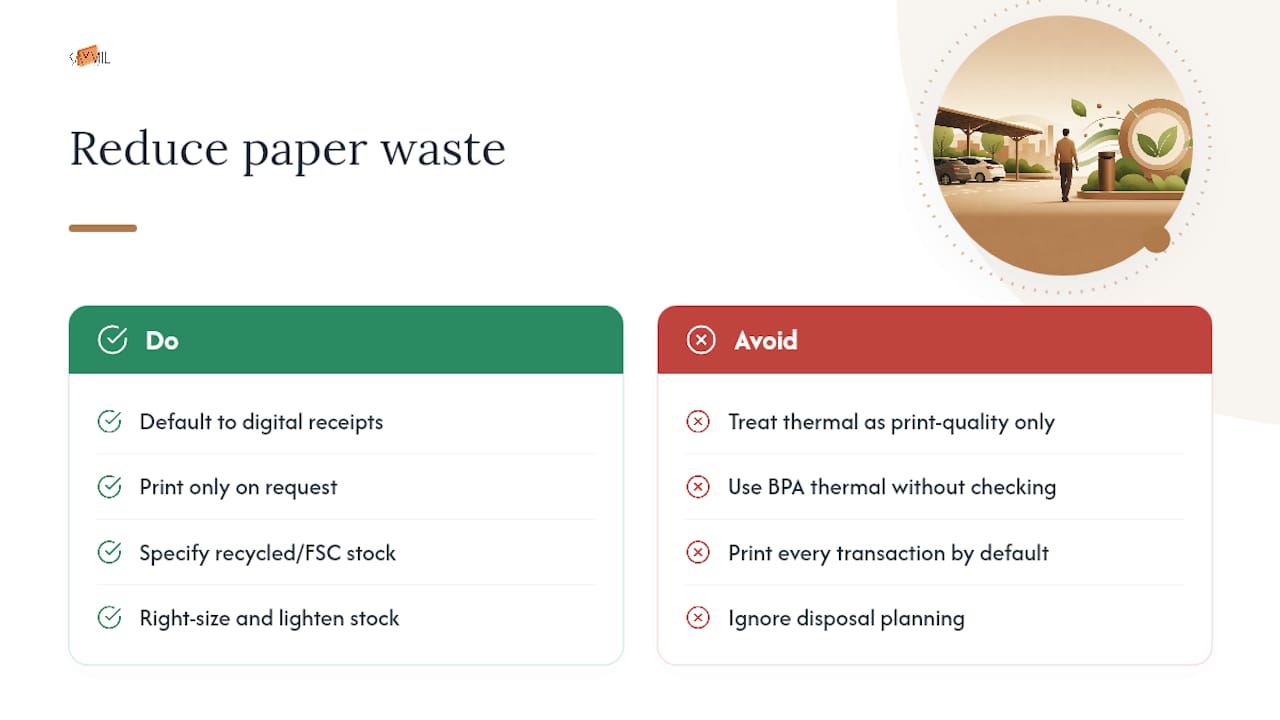
Paper waste adds up fast in a high-volume garage. A 500-space facility issuing two receipts per transaction can burn through tens of thousands of slips a month, most of which end up in a trash can within minutes of being printed.
Recycled or FSC-certified stock is now widely available for carbonless and standard receipt paper, and it costs little more than virgin stock at typical order volumes. Thermal paper is harder to recycle because of its chemical coating (usually BPA or a phenol-based developer), so operators running thermal kiosks should look for BPA-free thermal rolls where available and factor disposal into their environmental planning rather than treating it as a print-quality decision alone.
Digital and app-based receipts eliminate the paper question entirely, which is part of why more garages are pushing customers toward email or app confirmations for routine transactions while keeping printed receipts as a backup for disputes. A hybrid model, printed receipt on request, digital by default, tends to cut paper use without sacrificing the audit trail operators need.
Smaller changes matter too: right-sizing receipt dimensions so less blank paper prints per transaction, and choosing lighter stock weights where durability isn’t a concern, both trim material use without touching the design’s function.
Why Most Operators Overthink the Format and Underthink the Fields
The debate over carbonless versus thermal versus app receipts gets more attention than it deserves. Any of the four formats works fine when the fields are right and the print file is built correctly. The real failure point, based on how often disputes and audit gaps show up, isn’t the format at all. It’s operators shipping a design with three of the seven required fields, or skipping the card-truncation rule because “the app handles it,” without confirming that it actually does.
Security features get overweighted the same way. A microprinted, foil-stamped valet ticket looks impressive, but a sequential number tied to a scannable code that hits a timestamped server record catches more fraud than any physical security feature alone. The combination of a unique transaction ID and a resolvable barcode is what actually holds up when a customer disputes a charge six weeks later, not the paper stock.
If there’s one design mistake I’d flag above all others, it’s treating thermal receipts as permanent records. They aren’t. Any operator relying on thermal stock for tax documentation without a scanning habit is building a paper trail that erases itself.
— Richard
Ordering Custom Parking Receipt Books From Caymil
The client manufactures both stock and custom parking receipt books, machine-issued tickets, and barcoded valet stock, designed to match various format needs rather than applying a one-size design for all operations.
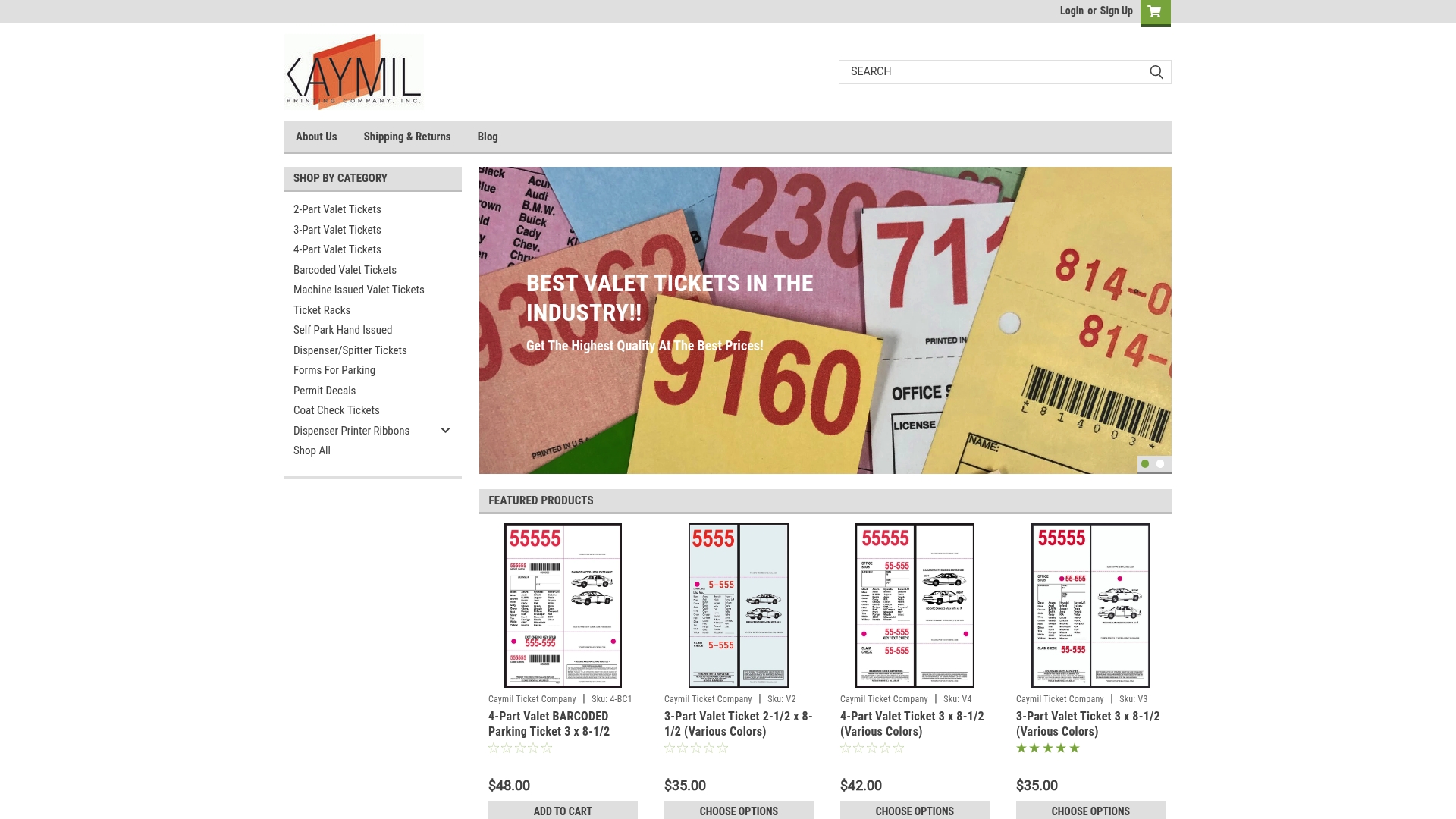
If you run a valet stand, the 2-part, 3-part, or 4-part valet ticket lines give you carbonless copies without a single reprint cycle to worry about. Garages running issuing machines can order machine-issued valet tickets or barcoded valet tickets sized to fit existing hardware, and the full Forms For Parking catalog covers everything from stock pads to fully branded custom runs with sequential numbering, logo placement, and security inks.
Ordering is straightforward: pick your format, confirm ticket size against your rack or dispenser, choose numbering and barcode options, and submit your logo and required fields. Start at the Forms For Parking page to see current stock options and request a custom quote.
Sources
For field checklists and print specs referenced throughout, see LegalClarity’s parking receipt guide, DesignLumo’s print blueprint, and reserved parking examples from Park Sopot.
- Parking Receipt Template: Fields, Formats and Tax Tips - LegalClarity
- Print Coupon & Voucher Design Blueprint - DesignLumo
FAQ
What Size Should a Parking Receipt Be?
Standard pads run 4.25 x 2.75 inches, while thermal and machine-issued rolls come in continuous-feed widths matched to the specific printer or issuing machine.
Do Parking Receipts Need to Show the Full Card Number?
No. Payment card guidance tied to Fair Credit Billing and PCI-related rules requires showing only the last four digits and never the card’s expiration date.
How Long Should Operators Keep Parking Receipt Records?
Archive duplicates or scans for at least three years to cover most tax and dispute-resolution timelines.
Are Thermal Parking Receipts Reliable for Tax Records?
Not on their own. Thermal paper fades within months, so operators should scan or photograph thermal receipts intended for audit or tax use.
Can the client print custom parking receipt books with sequential numbering?
Yes. The client produces custom and stock parking receipt books with sequential numbering, barcoding, and multi-part carbonless formats designed to work with existing gate or POS hardware.