

Printed Parking Tickets: A Practical Guide for Operators

When a parker loses their ticket at a busy garage exit or a printed barcode won’t scan at the kiosk, the entire exit lane backs up. Printed parking tickets are the operational backbone of nearly every parking facility in the country, yet most operators give the format, material, and workflow far less thought than they deserve. This guide covers everything from the thermal printing technology behind modern tickets to step-by-step issuance workflows, troubleshooting fixes, and how to extract more efficiency and revenue from your ticketing setup.
Table of Contents
- Key takeaways
- What printed parking tickets are and how thermal printing works
- Preparing to implement a printed ticket system
- The ticket issuance workflow, step by step
- Troubleshooting common operational problems
- Maximizing efficiency and customer experience
- My take on printed tickets after years in the field
- Upgrade your parking operations with Caymil
- FAQ
Key takeaways
| Point | Details |
|---|---|
| Thermal printing is the standard | Direct thermal technology produces fast, ink-free tickets ideal for high-volume, unattended parking kiosks. |
| Paper width affects scan reliability | Choosing between 58mm and 80mm thermal rolls directly impacts barcode clarity and ticket design options. |
| Workflow discipline prevents disputes | Linking each ticket to an issuing point, time stamp, and fee schedule creates a defensible record. |
| BPA-free paper is worth considering | Some jurisdictions restrict standard thermal paper due to BPA content; operators should verify local requirements. |
| Customization improves compliance | Clear instructions, branding, and security features on tickets reduce fraud and improve the customer experience. |
What printed parking tickets are and how thermal printing works
The term “printed parking tickets” covers a broad category. In the industry, the phrase refers to any physical ticket issued to document a parking transaction. That includes entry tickets dispensed at garage gates, valet claim checks, violation notices written by enforcement officers, and event parking passes. Each format serves a specific function, but they share a common need: legibility, durability, and accuracy.
The dominant technology behind parking facility tickets today is direct thermal printing. Direct thermal printing uses a heated printhead to activate a chemical coating on specially treated paper, producing text and graphics without ink cartridges or ribbons. For unattended kiosks running 24 hours a day, that ink-free process is a significant operational advantage. There are no cartridges to replace mid-shift, and the print mechanism is mechanically simpler than inkjet or impact alternatives.
The main ticket formats operators encounter include:
- Thermal roll tickets dispensed from automated entry gates and kiosks
- Ticket books used by valet staff or enforcement officers in the field
- Multi-part carbonless tickets (sometimes called parking control tickets) that produce simultaneous copies for the parker and the operator
- Fanfold or flat-sheet tickets used in certain impact printers for violation notices
- Magnetic stripe and barcode tickets that carry encoded data readable by exit equipment
Thermal paper remains the standard for machine-issued tickets because it supports high-speed printing with minimal maintenance. The tradeoff is sensitivity to heat and direct sunlight, which can fade printed information over time. That matters in surface lots where tickets sit on dashboards for hours in summer heat.
Pro Tip: For surface lot or outdoor valet operations where tickets are exposed to sunlight, look for thermal paper with a protective topcoat or consider multi-part carbonless formats that are not heat-sensitive.
Preparing to implement a printed ticket system
Getting your ticketing setup right before launch saves significant operational headaches. The hardware, materials, and software integrations all need to work together before the first car enters your lane.
Choosing hardware and paper specifications
Parking kiosk printers used in unattended systems require fast print response times, stable paper paths, long-life printheads, and easy paper roll replacement. In practice, that means prioritizing printers with auto-cutter mechanisms and large-capacity paper compartments over those with slightly faster print speeds. A printer that jams frequently during the afternoon rush costs far more in lost throughput than one that prints marginally slower but runs reliably for hours unattended.

Thermal paper rolls for parking systems typically come in two widths: 58mm and 80mm. The 80mm format provides more horizontal space, which matters when your ticket design includes a barcode, a QR code, facility branding, and operating instructions simultaneously. Trying to fit all of that on a 58mm roll often means compromising on barcode density or font size, both of which reduce scan reliability.
Integrating with parking management software
Printed tickets do not operate in isolation. In a PARCS-integrated environment, each ticket carries a machine-readable code that links to a transaction record in your parking management system. That connection is what allows the exit kiosk to calculate fees, accept payment, and open the gate without staff involvement.
Before selecting ticket stock, confirm compatibility with your system provider. Amano, TIBA, SKIDATA, FLASH Parking, and other major platforms have specific requirements for barcode symbology, paper width, and magnetic stripe encoding. Using non-compatible stock can cause read errors at exit lanes.
Key operational policies to define before going live:
- Lost ticket fee schedule and how it is enforced
- Ticket retention rules communicated clearly to parkers at entry
- Validation procedures for merchants or event hosts
- Reprinting protocol for damaged or unreadable tickets
- Staff escalation process when the printer goes offline
Standard parking operating rules require parkers to accept and retain their ticket upon entry, pay before exiting, and pay a flat fee if the ticket is lost. Printing those rules directly on the ticket itself, even in condensed form, reduces disputes at the exit lane.
One materials note worth flagging: thermal paper contains BPA, a chemical that some jurisdictions restrict due to health concerns. BPA-free thermal paper is widely available and worth specifying when you order stock, particularly if your staff handles tickets frequently throughout the day.
The ticket issuance workflow, step by step
A clean, repeatable workflow from entry to exit is what separates a facility with smooth throughput from one where the exit lane becomes a complaint window.
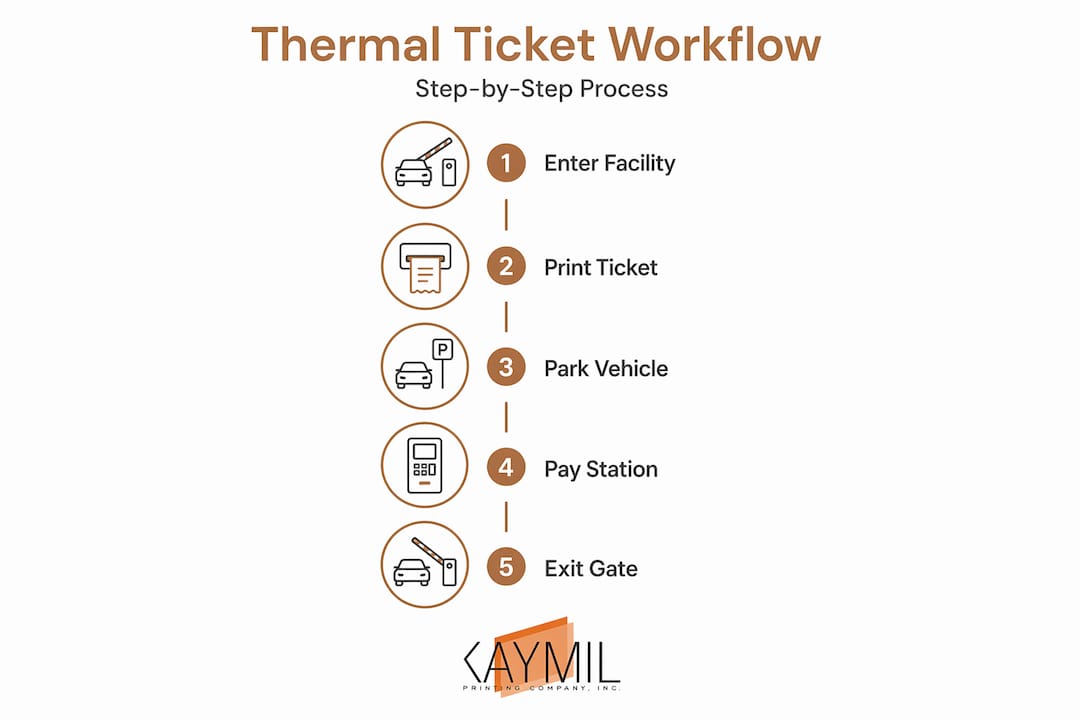
- Vehicle arrives at entry lane. The gate sensor triggers the thermal printer in the kiosk.
- Ticket is printed and dispensed. The ticket includes a time stamp, facility ID, and a barcode or QR code linked to the transaction. The printer should complete this in under two seconds.
- Parker takes the ticket and the gate opens. Some systems also capture a license plate image at this point to support lost ticket recovery.
- Parker pays at a pay station before returning to the vehicle. The pay station reads the barcode, calculates the fee, accepts payment, and prints a paid receipt.
- Parker proceeds to exit. The exit reader validates the paid ticket or receipt and opens the gate.
- If the ticket is lost, the parker pays the established lost ticket fee. License plate data captured at entry can sometimes confirm the actual entry time, which protects parkers from being charged a full-day rate unfairly.
For valet operations, the workflow differs. Staff issue numbered valet claim tickets, typically in two-part or three-part carbonless formats, with one copy going to the customer and one staying with the vehicle keys.
Pro Tip: Run a test print cycle at the start of every shift and after any paper roll replacement. A two-second verification step catches misloaded paper before it causes jams during peak hours.
Preventing misprints and jams comes down to three habits. Keep the paper path clean, use paper rolls that match the printer’s specified width and core diameter, and never let the roll run to the very end before replacing it. Partial-roll jams at the spindle are one of the most common causes of kiosk downtime during high-traffic periods.
For enforcement officers issuing violation notices in the field, mobile citation printers prioritize ruggedness and connectivity over speed. The ability to load paper quickly in the field and maintain a wireless connection to a citation management system matters more than print resolution in that context.
Troubleshooting common operational problems
Even well-maintained systems run into problems. Knowing the most frequent failure points helps operators respond fast and document issues correctly.
- Faded or blank tickets: Almost always a thermal paper issue. Either the paper is loaded with the uncoated side facing the printhead, or the paper has degraded from heat or UV exposure. Check orientation and storage conditions.
- Barcode scan failures at exit: Can result from print density settings, paper contamination, or scanner calibration. Test with a handheld barcode scanner first to isolate whether the issue is the ticket or the exit reader.
- Paper jams: Usually caused by misaligned paper rolls, torn paper remnants in the paper path, or rolls wound too loosely. Clear the path completely before reloading.
- Printer goes offline during peak hours: Check the power connection, paper status, and communication cable or network connection in that order. Many kiosk systems log printer errors with timestamps, which helps pinpoint the cause.
- Disputes over fees: Documented ticket issuance records linked to entry time, lane, and license plate data are the most reliable way to resolve fee disputes without guessing.
Procedural discipline matters as much as hardware quality. SFPD’s citation protocols require officers to mark incomplete or incorrect citations as VOID and submit all copies before end of shift, preserving the integrity of the citation record. The same principle applies to any parking operation: every ticket issued, voided, or lost should be logged.
When your ticket workflow produces a clear paper trail, disputes resolve faster, revenue leakage drops, and your team spends less time arguing with parkers at the exit booth.
Maximizing efficiency and customer experience
Getting the basics right is necessary. Getting the most out of your printed ticket setup requires a few additional steps that many operators overlook.
Barcode and QR code tickets dramatically reduce exit processing time compared to tickets that require manual fee calculation. When a scanner reads the code in under a second and the gate opens automatically, vehicle throughput during peak departure times increases noticeably. This matters most at event venues and airport facilities where hundreds of vehicles exit within a short window.
Cities that have adopted automated enforcement with mailed printed violation notices have seen dramatic revenue increases. Galveston’s mail-based program, which uses camera captures and mailed tickets rather than officer-issued notices, issued $1.77 million in violations from June 2024 to March 2026 compared to $380,000 in the prior period. While most private parking operations do not issue mailed citations, the data illustrates how ticket format and delivery method directly affect revenue capture.
Design decisions on the ticket itself also affect operational outcomes:
- Print the lost ticket fee prominently so parkers know the policy before they need it
- Include the facility’s customer service phone number for after-hours disputes
- Add sequential numbering to every ticket for easier auditing and fraud prevention
- Use security features like void pantographs or serialized stock to reduce ticket counterfeiting
- Keep instructions concise since parkers read tickets while walking, not sitting at a desk
Pro Tip: If you use parking ticket envelopes to protect tickets placed on windshields or handed to parkers in weather-exposed environments, specify envelopes sized to match your ticket format. Loose tickets inside oversized envelopes shift around and can obscure barcodes.
| Feature | Operational benefit |
|---|---|
| Barcode or QR code | Automated fee calculation and faster exit processing |
| Sequential numbering | Supports audit trails and reduces ticket duplication fraud |
| BPA-free thermal paper | Reduces staff health exposure and meets local regulations |
| Multi-part carbonless format | Produces simultaneous operator and parker copies without reprinting |
| Custom branding | Reinforces facility identity and communicates key policies |
My take on printed tickets after years in the field
I’ve seen parking operators invest heavily in gate equipment, payment kiosks, and software integrations while treating the ticket itself as an afterthought. That is a mistake that shows up quickly. A ticket that fades after two hours on a summer dashboard, a barcode that scans at 60% reliability, or a format that gives parkers no instruction on what to do if they lose it. These are not minor inconveniences. They are the specific failure points that generate lines, disputes, and refund requests.
What I’ve found consistently is that the operators with the smoothest exit flows are the ones who treat ticket selection as seriously as any other hardware decision. They match paper width to their barcode requirements. They specify BPA-free stock. They print lost ticket policies directly on the ticket face. They test print after every roll change.
The other thing I’d push back on is the assumption that digital-only solutions have made physical tickets obsolete. Mobile payments are fast and convenient for prepared parkers. But unattended garages, event lots, and facilities serving diverse populations still need a physical document the parker can hold, read, and present. A printed ticket that works reliably is not old technology. It is still the most universally accessible payment documentation tool the parking industry has.
Pair that reliable ticket with a well-designed workflow, the right thermal paper, and clear operational policies, and you have a system that handles high traffic without generating complaints.
— Richard
Upgrade your parking operations with Caymil
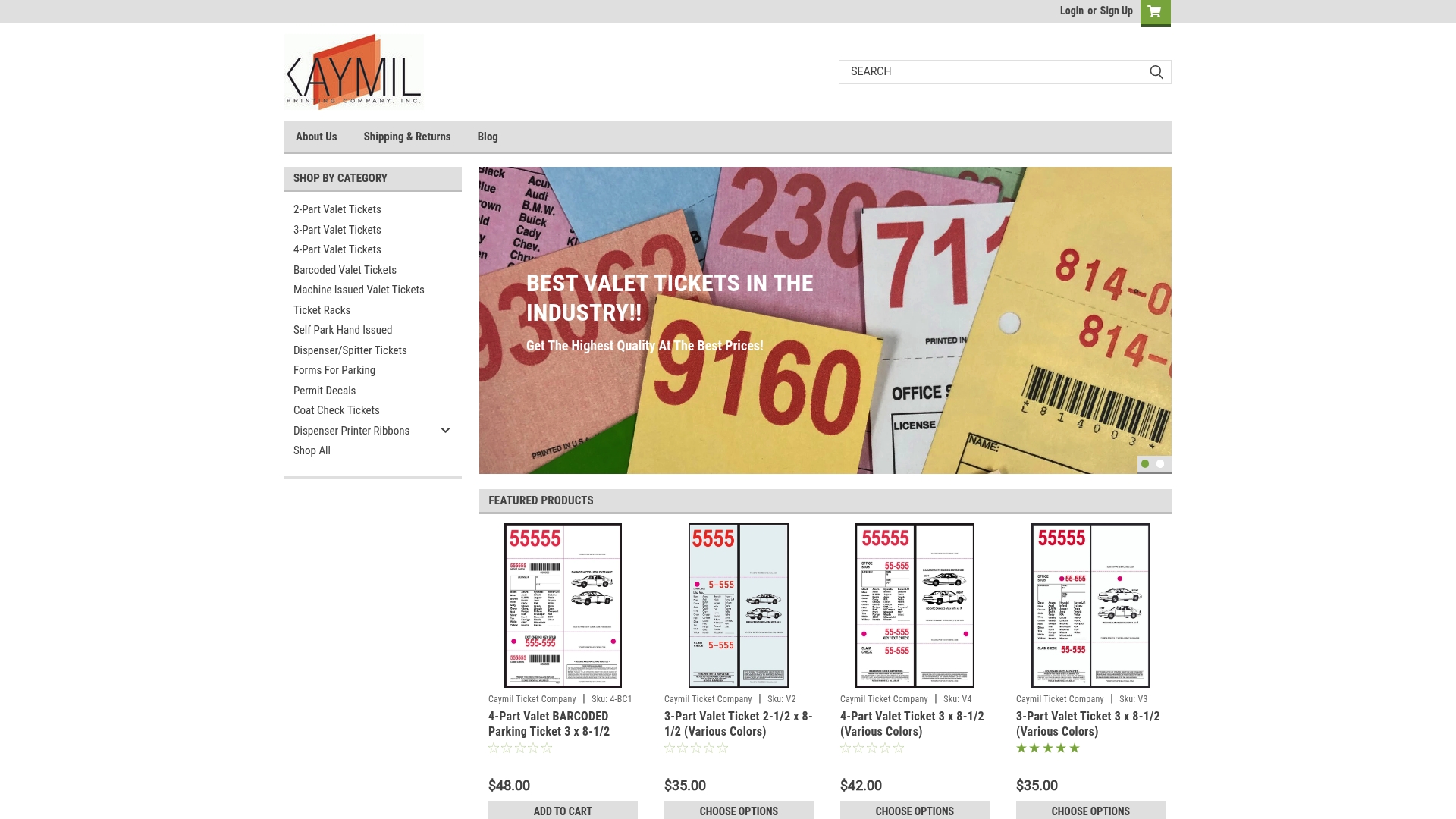
Caymil has manufactured custom printed parking tickets and ticketing accessories for parking operators nationwide since 1937. Whether you need dispenser spitter tickets for automated gate systems, multi-part valet claim checks, or barcode tickets compatible with Amano, TIBA, SKIDATA, or FLASH Parking platforms, Caymil offers both in-stock and fully custom options. Every product is available with sequential numbering, custom colors, logos, security features, and BPA-free thermal paper. Caymil also carries parking forms and violation tickets for enforcement and property management applications, along with barcode valet tickets designed for high-volume operations. Fast nationwide shipping and millions of tickets in stock mean you can restock quickly without disrupting operations. Contact Caymil to discuss your specific ticket format, volume, and system compatibility requirements.
FAQ
What is a thermal parking ticket?
A thermal parking ticket is a ticket printed using direct thermal technology, where a heated printhead activates a chemical coating on specially treated paper to produce text and barcodes without ink. This format is the standard for machine-issued parking tickets because it is fast, reliable, and requires no consumables beyond the paper roll.
How do you choose between 58mm and 80mm thermal paper rolls?
The 80mm roll provides more horizontal space for complex ticket designs that include barcodes, QR codes, branding, and operating instructions. The 80mm format generally delivers better barcode scan reliability for facilities with high exit volumes. Use 58mm rolls only when your kiosk hardware does not support the wider format.
What should a printed parking ticket include?
At minimum, a parking ticket should include a time-stamped entry record, a machine-readable barcode or QR code, the facility name, the lost ticket fee, and brief instructions for the parker. Sequential numbering and security features like void pantographs add fraud protection.
What is a multi-part parking ticket and when should you use it?
A multi-part parking ticket uses carbonless paper to produce two or more simultaneous copies from a single handwritten or impact-printed entry. Valet operations and enforcement officers use them to give one copy to the customer while retaining another for records, eliminating the need for reprinting.
How do you prevent thermal parking tickets from fading?
Store thermal paper rolls away from heat, direct sunlight, and plasticizers found in some protective sleeves. For outdoor environments, use thermal stock with a protective topcoat, or switch to a non-thermal format such as carbonless multi-part tickets for situations where tickets will be exposed to the elements for extended periods.
Recommended
- The role of ticket dispensers in parking: A manager’s guide - Caymil Printing Co., Inc.
- Sequential Numbering Parking Tickets: A Practical Guide - Caymil Printing Co., Inc.
- Parking Machine Ticket: What Every Driver Should Know - Caymil Printing Co., Inc.
- Parking Ticket Paper: Stock, Thermal Rolls, and What Really Lasts - Caymil Printing Co., Inc.