

Temporary Event Permit Printing Guide for Operators

Order professionally printed, sequentially numbered, barcode-enabled permits matched to each operational role: hang tags for vehicle passes, machine-issued rolls for gate dispensers, and 2-part or 3-part carbonless tickets for valet. Every format must carry a sequential number and a 1D or 2D barcode as minimum security features. Those two elements satisfy most municipal traceability requirements and give staff a fast, reliable way to verify credentials at the gate. Within the next 24–72 hours, confirm the exact required fields with your local permitting authority, then request a print proof from your vendor before approving production.
Pro Tip: Request a PDF proof and a physical sample before approving a full run. Barcode readability on specialty cardstock can vary by printer and substrate, and catching a faded scan zone before production saves a costly reprint.
Table of Contents
- What fields does a temporary event permit need?
- Which format and material should you choose?
- What security features actually prevent fraud?
- How do printed permits connect to municipal permitting?
- How do you plan production quantities, specs, and lead times?
- How should you use printed permits on event day?
- How do you order from Caymil?
- Key Takeaways
- What ticket manufacturers see planners get wrong
- Caymil’s custom and stock permit options
- Useful sources to consult
- FAQ
What fields does a temporary event permit need?
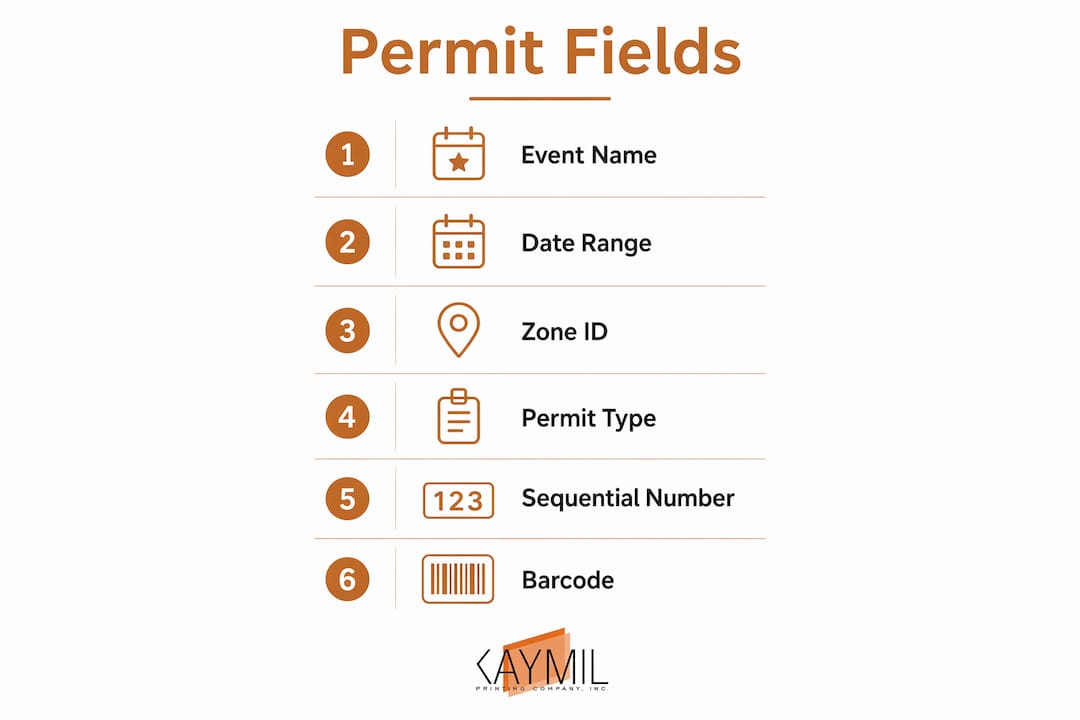
Every permit that goes to a municipal reviewer or an on-site enforcement officer must carry the same core data. Missing even one field can stall a permit application or create confusion at the gate.
Non-negotiable fields for every temporary event permit:
- Event name — ties the credential to a specific event, not a generic pass
- Event date and time, or validity window — defines when the permit is active
- Zone or lot ID — directs vehicles to the correct area and supports capacity management
- Permit type — staff, guest, vendor, or contractor; color coding by type speeds visual checks
- Sequential number — unique identifier for each credential; required for reconciliation and fraud investigation
- Barcode or machine-readable ID — enables fast scan-on-entry and single-scan reconciliation
- Issuer name and logo — confirms the credential is official and helps prevent duplication
- Stated expiration — prevents reuse after the event window closes
Use this list as a paste-ready checklist when writing artwork instructions or assembling a permit application packet. Cities like Miami require that site plans include the event name, address, date, and time on every plan page — your printed permits should mirror that same data set for consistency across all submitted materials.
Quick field checklist for artwork instructions:
- Event name (full legal name matching permit application)
- Date(s) and hours of validity
- Zone/lot designation
- Permit type label
- Sequential number range (confirm starting number with vendor)
- Barcode symbology (Code 128, QR, or PDF417)
- Issuer name and logo placement
- Expiration statement
Which format and material should you choose?
The right format depends on operational role, exposure conditions, and whether the permit will be scanned by a machine or checked visually. Choosing the wrong substrate is one of the most common ordering mistakes.

| Format | Best operational scenario | Minimum security features |
|---|---|---|
| Hang tag (heavy paper or plastic) | Multi-day vehicle passes, vendor/contractor credentials | Sequential number, logo, expiration |
| Machine-issued roll (thermal) | High-volume gate entry, dispenser-printer workflows | Sequential number, 1D barcode |
| 2-part carbonless valet ticket | Standard valet with one customer copy | Sequential number, color coding |
| 3-part carbonless valet ticket | Valet with operator, customer, and office copies | Sequential number, color coding |
| 4-part carbonless valet ticket | Multi-station reconciliation, casino or hotel valet | Sequential number, barcode optional |
| Window cling | Short-stay public lot, resident or staff passes | Sequential number, tamper-evident adhesive |
Material considerations by scenario:
- Outdoor, multi-day passes need heavy paper or plastic stock with UV-resistant ink to prevent fading.
- Writable panels on hang tags let staff annotate arrival time or vehicle description on site, which is useful when scanners are unavailable.
- Temporary parking permit examples show how color-coded edges and bold zone labels reduce gate processing time at large venues.
- Thermal roll stock suits machine-issued workflows but degrades in direct sunlight; store rolls away from heat sources before the event.
What security features actually prevent fraud?
Custom barcodes and branded design help staff track capacity and enforce compliance more efficiently than generic passes. The features below are ranked by operational impact.
- Sequential numbering — the single most important feature; every permit has a unique ID that can be cross-referenced against an issued list
- 1D barcode (Code 128) — fast linear scan, compatible with most handheld and fixed readers; specify Code 128 for gate-entry workflows
- 2D barcode (QR or PDF417) — encodes more data in a smaller footprint; use PDF417 when encoding vehicle plate, permit type, and zone in one scan
- Magnetic stripe — required for compatibility with Amano, TIBA, SKIDATA, FLASH Parking, Scheidt & Bachmann, and Flowbird systems; specify encoding format when ordering
- Color coding by day or zone — the fastest visual check at a staffed gate; no scanner needed
- Logos, watermarks, and foil elements — make permits difficult to duplicate; foil is cost-effective on plastic hang tags
Pro Tip: Place a short human-readable ID (4–6 characters) directly beneath every barcode. If a scanner fails, staff can manually enter the ID without pulling up a separate log. Leave a writable panel on hang tags for on-site annotations.
Security features add cost, so match them to risk level. A small private lot event may need only sequential numbering and color coding. A multi-thousand-attendee public event with street closures warrants barcodes, magnetic stripe, and tamper-evident adhesive on every credential.
How do printed permits connect to municipal permitting?
Printed permits don’t exist in isolation. They must align with what you submit to the city, and incomplete applications are the most common reason permit reviews stall. Municipal reviewers check that your site plan, insurance documentation, and permit specifications are internally consistent.
Common overlapping permits that affect printed-permit types and quantities:
- Street closure permits require a separate application and often demand that vehicle credentials reference the closure zone by name
- Tent or temporary-structure permits (Miami allows tents up to 40x40 sq. ft. under a Special Events Affidavit) may require contractor credentials distinct from guest passes
- Alcohol permits, where required by the Los Angeles Police Department or equivalent local authority, typically require a separate staff credential for servers and security
Timeline callout: Seattle requires special-event permit applications at least 90 days before the event to avoid late fees and possible rejection. Tampa’s centralized permitting guide recommends the same 90-day window for events with street closures or alcohol. Build your print production schedule backward from the permit issuance date, not the event date.
Some city portals, including Chicago’s CDOT festival and athletic permit workflow, include a print function that generates the issued permit directly from the portal. That document must match the fields on your custom-printed credentials exactly.
How do you plan production quantities, specs, and lead times?
Artwork submitted incorrectly is the second most common cause of reprints. Provide your vendor with a final PDF that includes bleed and trim marks, exact PMS or CMYK color values, embedded barcode images (not live fonts), and clearly marked writable-panel areas.
| Production type | Typical lead time | Notes |
|---|---|---|
| Standard custom run | 7–10 business days | Includes PDF proof review |
| Rush order | 2–5 business days | Carries a premium; confirm availability |
| Machine-issued roll replenishment | 3–5 business days | Stock rolls may ship same day |
| Physical proof request | Add 2–3 business days | Recommended for new barcode specs |
Quantity planning checklist:
- Calculate base quantity by permit type and zone, then add 10–15% buffer for lost or damaged permits
- Allocate separate allotments for vendors, contractors, and media credentials
- Order transit stock (permits held in reserve at a staging lot) for events with multiple entry points
- Consumer-grade printers cause jams and faded barcodes on specialty cardstock; professional production is necessary when volumes exceed a few hundred or when durable materials are required
Understanding print production turnaround time before you finalize your order schedule prevents last-minute rush fees.
How should you use printed permits on event day?
Batch printing and staging full permit sets by lot and date reduces day-of manual lookups and speeds gate throughput. Distribute permits from a central staging area, not at the gate, to prevent bottlenecks.
- Stage permits by zone before gates open. Pre-sort hang tags and roll tickets into labeled envelopes or bins by lot ID and permit type.
- Assign scan-on-entry as the default. Scan every barcode credential at the entry point and log the sequential number. This creates a real-time count against your issued list.
- Use visual checks as backup. For non-scannable permits (window clings, hand-stamped passes), train staff to verify color, zone label, and expiration date in under five seconds.
- Reconcile at shift change. Staff hand off a count of permits distributed and a scan log. Discrepancies flag potential unauthorized access before the next shift begins.
- Enforce a lost-ticket policy. Require a supervisor sign-off and a photo ID check before issuing a replacement. Log the original sequential number as voided.
Pro Tip: Run a 15-minute staff drill before gates open. Walk through one scan-on-entry, one visual check, and one lost-ticket scenario. Staff who have physically handled the credential format make fewer errors under pressure.
For a deeper look at day-of-event parking permit procedures, Caymil’s operational guide covers distribution workflows and capacity tracking in detail.
How do you order from Caymil?
Caymil has manufactured custom parking, valet, and event tickets since 1937. Products are compatible with Amano, TIBA, SKIDATA, FLASH Parking, Scheidt & Bachmann, and Flowbird systems, covering sequential numbering, 1D and 2D barcodes, magnetic stripe encoding, and multi-part carbonless formats. Stock items ship fast nationwide; custom orders follow the lead times in the production table above.
Prepare before contacting Caymil:
- Final artwork as a print-ready PDF with bleed, trim, and color specs
- Quantity by format (hang tags, rolls, 2/3/4-part valet tickets, window clings)
- Security features required (sequential range, barcode symbology, magnetic stripe encoding)
- Preferred proof type (PDF or physical sample)
- Required delivery date and municipal permit issuance date
Ordering steps:
- Submit artwork and specifications to Caymil for a production estimate.
- Review and approve the PDF proof; request a physical sample for new barcode configurations.
- Confirm production start date against your municipal permit issuance timeline.
- Arrange delivery to a staging location, not directly to the event site, to allow time for pre-sorting.
Caymil’s parking management system compatibility guide explains how to match ticket specs to your existing gate hardware before placing an order.
Key Takeaways
Ordering the correct format with sequential numbering and a barcode is the single most important step in any temporary event permit printing guide — it satisfies municipal traceability requirements and gives staff a fast, reliable verification method on event day.
| Point | Details |
|---|---|
| Confirm fields with the authority | Verify required permit fields with your local permitting office before finalizing artwork. |
| Match format to operational role | Use hang tags for vehicle passes, machine-issued rolls for gate dispensers, and carbonless tickets for valet. |
| Require sequential numbering and barcode | These two features satisfy most municipal traceability requirements and speed on-site verification. |
| Apply 90-day lead time for complex events | Street closures and alcohol permits often require applications 90 days out; align print production to that schedule. |
| Order from Caymil | Caymil supplies stock and custom permits with barcode, magnetic stripe, and carbonless options compatible with major parking systems. |
What ticket manufacturers see planners get wrong
The most consistent mistake Caymil sees is late artwork submission combined with incorrect barcode specifications. A planner finalizes the permit application, gets municipal approval, and then discovers the artwork file is missing bleed marks or the barcode symbology doesn’t match the gate reader. That combination forces a rush reprint at a premium, sometimes days before the event.
The practical fix is straightforward: treat the print order as part of the permit application process, not a task that follows it. Confirm barcode type and sequential number range with your parking system vendor before submitting artwork. Caymil has manufactured compatible tickets for Amano, TIBA, SKIDATA, FLASH Parking, Scheidt & Bachmann, and Flowbird systems since 1937, which means the specification questions are familiar ones with known answers.
Caymil’s custom and stock permit options
Caymil offers a direct path from specification to production for event operators who need printed credentials that work with their existing parking systems. Stock barcoded valet tickets and 4-part carbonless valet tickets ship fast for standard configurations. Custom runs cover hang tags, machine-issued rolls, window clings, and multi-part carbonless formats with sequential numbering, 1D or 2D barcodes, magnetic stripe, and tamper-evident options built in.
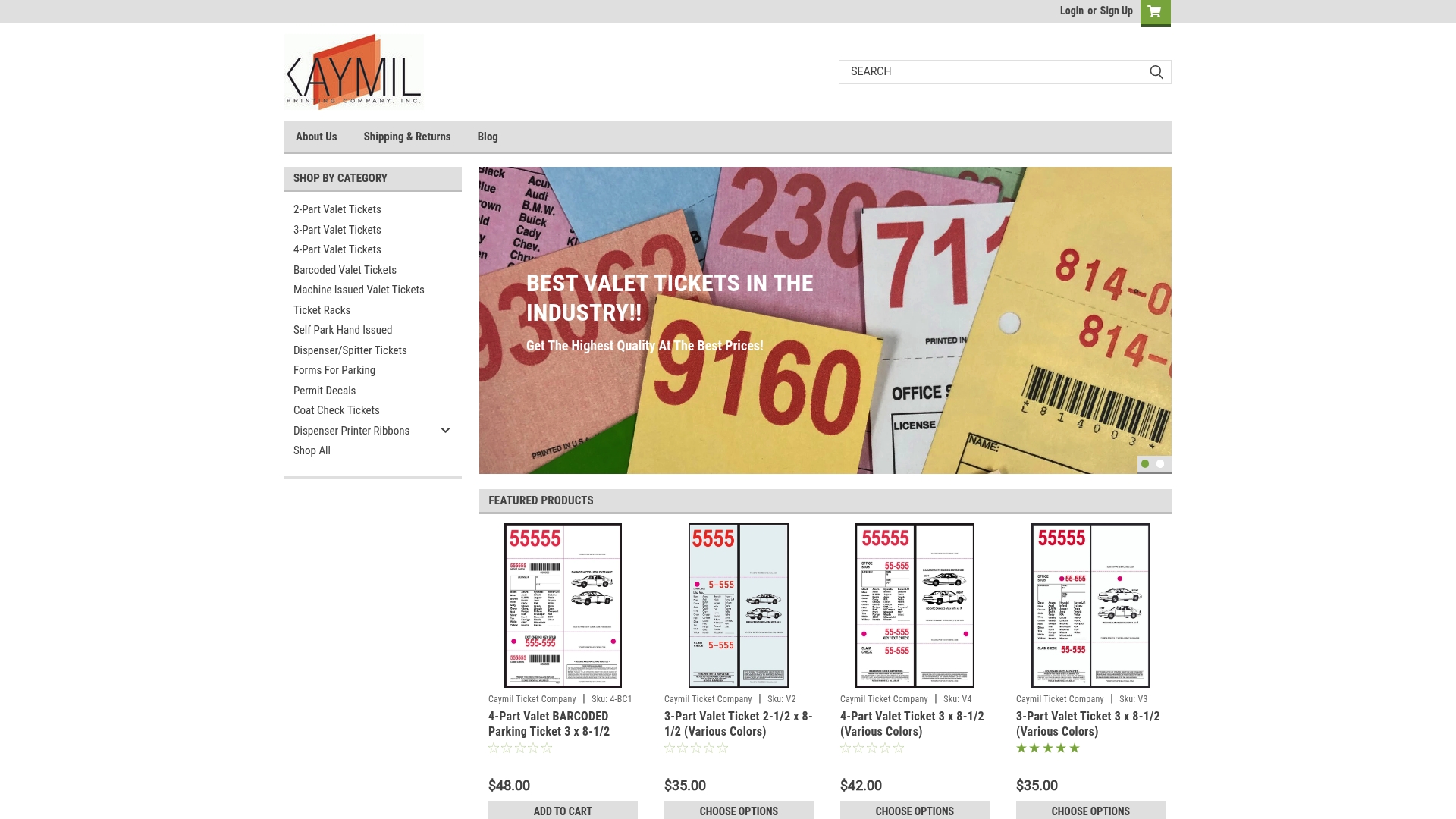
The ordering process is straightforward: submit your artwork and specifications, approve a proof, and confirm a production date that aligns with your municipal permit issuance timeline. For operators who need forms for parking permits and hang tags, Caymil’s category page lists available stock and custom configurations. Contact Caymil to request a production estimate and get your permit order into the schedule before the rush window closes.
Useful sources to consult
- Seattle Special Events Office — Application and Instructions: timelines, required attachments, and the Eproval submission portal
- City of Chicago Special Events Permit Application: site plan and insurance documentation requirements
- Tampa Major Events Centralized Permitting Guide: lead-time recommendations for street closures and alcohol permits
- City of Miami Special Event Permit: document checklist including site plans, insurance, and indemnity agreement
- LADBS Temporary Special Events: multi-agency approval sequence for Los Angeles events
- Security printing techniques: watermarks, foil, and tamper-evident feature guidance for permit design
FAQ
What fields must a temporary event permit include?
Every temporary event permit needs the event name, date and validity window, zone or lot ID, permit type, sequential number, barcode or machine-readable ID, issuer name and logo, and a stated expiration. These fields satisfy municipal reviewers and give on-site staff a fast verification path.
How far in advance should you submit a special event permit application?
Cities like Seattle and Tampa recommend submitting at least 90 days before events that include street closures or alcohol. Simpler park or private-lot events may have shorter windows, but 90 days is a reliable planning baseline for most U.S. municipalities.
Which barcode symbology should you specify for event permits?
Specify Code 128 for standard linear gate-entry scanning. Use QR or PDF417 when you need to encode additional data such as vehicle plate, zone, and permit type in a single scan. Confirm the symbology with your gate hardware vendor before ordering.
Can you print a municipal permit directly from the city portal?
Some city portals, including Chicago’s CDOT festival and athletic permit workflow, include a print function that generates the issued permit from the portal. That document must match the fields on your custom-printed credentials to avoid confusion at the gate.
Does Caymil produce permits compatible with major parking systems?
Caymil manufactures tickets and permits compatible with Amano, TIBA, SKIDATA, FLASH Parking, Scheidt & Bachmann, and Flowbird systems, with options for sequential numbering, 1D and 2D barcodes, magnetic stripe encoding, and multi-part carbonless formats.