
Luggage Claim Ticket Systems for Luxury Hotels
The most effective luggage claim ticket system for a luxury hotel is a hybrid: durable, sequentially numbered, branded physical claim tickets as the operational baseline, with an optional digital overlay (barcode scanning, SMS claim codes, or QR lookup) layered on top for traceability and guest convenience. Physical tickets give bell staff an immediate, no-power-required chain-of-custody tool. The digital layer adds audit trails, faster pickup verification, and the kind of frictionless communication guests at five-star properties expect.
Three operational benefits justify this approach immediately:
- Guest confidence and brand polish: A custom-printed ticket bearing your hotel’s logo and sequential serial number signals professionalism from the first moment of check-in.
- Forensic chain-of-custody: Sequential numbering and barcode logging create a verifiable record that protects the hotel in any dispute.
- Faster pickup turnaround: A scanned barcode or SMS claim code cuts retrieval time compared to manual log searches, especially during peak group arrivals.
To pilot the system, order a sample run of custom 2-part carbonless tickets with serial numbering and a barcode, then test a digital scan workflow during one peak arrival window before scaling.
Key Takeaways
A hybrid luggage claim ticket system combining branded physical tickets with optional digital scanning gives luxury hotels the strongest combination of chain-of-custody reliability, guest experience quality, and operational efficiency.
| Point | Details |
|---|---|
| Use a hybrid baseline | Custom physical tickets with serial numbering and barcode, plus optional digital overlay for audit trails and guest notifications. |
| Verify ID at every pickup | Require government-issued ID alongside the claim ticket or digital code to prevent impostor retrievals and reduce liability. |
| Train staff on one SOP | A 30-minute session plus a one-page quick-reference card is enough for operational competency at drop-off and retrieval. |
| Start with a small pilot order | Order 1,000–2,500 custom tickets to validate operations before committing to a large run; stock packs ship in 1–3 business days. |
| Order from Caymil | Caymil supplies 2-part carbonless, barcoded, and machine-issued ticket formats with nationwide shipping and custom branding options. |
Table of Contents
- What does a luggage claim ticket system look like for luxury hotels?
- What ticket design and material specs should luxury hotels order?
- How should bell and concierge staff handle bags from drop-off to pickup?
- How do you reduce liability and protect guest privacy in luggage handling?
- What features should you look for in a digital luggage-claim system?
- How do you order tickets: stock vs custom, pricing, and lead times?
- Why Caymil is a reliable supplier for luxury-hotel luggage claim tickets
- Ready-to-use implementation checklist and sample ticket fields
- What managers often get wrong when rolling out a luggage claim system
- Caymil supplies the tickets this guide recommends
- Sources
- FAQ
What does a luggage claim ticket system look like for luxury hotels?
Choosing between physical tickets, digital claim systems, and a hybrid comes down to property size, guest profile, and operational complexity. Here is a fast decision framework.
Physical tickets alone work well for smaller boutique properties with low daily bag volume, limited IT infrastructure, and staff who prefer tactile workflows. The drawbacks are manual log maintenance, no automated guest notification, and higher exposure to handwriting errors.
Digital-only systems suit tech-forward properties with a strong PMS integration and guests who respond well to SMS or app-based communication. Paperless bell-desk platforms let the guest become their own claim ticket, connecting staff directly to guests via text without requiring any app download. These systems also reduce paper waste and can contribute to LEED sustainability scores. The tradeoff is dependency on reliable connectivity and a steeper staff learning curve.
Hybrid systems are the right fit for most full-service luxury hotels. Physical tickets handle the immediate tag-and-store moment; the digital layer handles guest notification, audit logging, and retrieval verification. The combination covers every operational scenario, including power outages and guests who do not respond to texts.
- Physical only: boutique properties, low volume, minimal IT
- Digital only: tech-forward, high-volume, strong PMS integration
- Hybrid: full-service luxury, group arrivals, liability-sensitive operations
Operational triggers that push toward a hybrid include group check-ins of 20 or more bags, properties with active concierge-to-guest messaging, and any operation where lost-bag liability is a documented concern.
Pro Tip: When piloting a hybrid model, run both the physical and digital workflows in parallel for the first two weeks. This prevents guest confusion and gives staff time to build confidence with the scanner before retiring the manual log entirely.
What ticket design and material specs should luxury hotels order?
The physical ticket is a brand touchpoint as much as an operational tool. Getting the specs right before placing a large order saves time and avoids reprints.
Ticket formats to specify
Three formats cover the full range of luxury hotel operations:
- 2-part carbonless: The most common format. The guest receives the tear-off claim check; the bell desk retains the office copy. Multi-part carbonless tickets give you an instant duplicate record without a printer or scanner.
- Perforated single-sheet with tear-off claim check: A lighter-weight option for properties that prefer a single printed record. The perforated claim portion detaches cleanly and fits in a wallet or envelope.
- Machine-issued tickets: Printed on demand from a dispenser, these work well for high-volume properties where pre-printed stock runs out unpredictably.
Materials and durability
Paper weight matters more than most managers realize. A ticket that tears during a busy group arrival creates a chain-of-custody gap. Specify at minimum 60 lb. offset stock for carbonless sets; heavier coated stock (80 lb. or above) holds up better in humid storage areas. For attachment, transfer tape or adhesive squares are cleaner than string ties on luxury luggage; string ties remain the backup for oversized or irregularly shaped bags.
Security additions to require
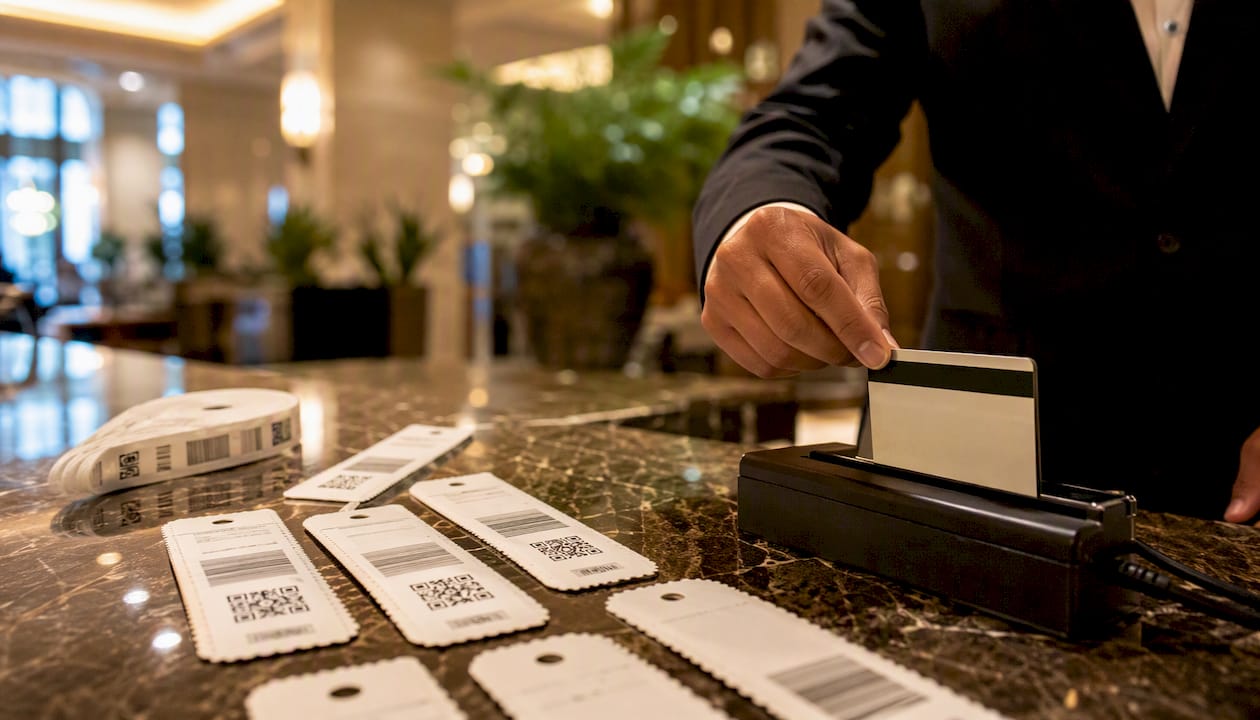
Every ticket order for a luxury property should include sequential serial numbering, a barcode or QR code field, and pre-printed legal/house-policy text on the back. An optional magnetic stripe adds a layer of machine-readable verification for properties with compatible scanners. Serialized, perforated luggage tags with transfer tape and writable fields are available in standard 1,000-pack formats, which is a practical starting quantity for a pilot.
| Ticket Type | Best Use Case |
|---|---|
| 2-part carbonless | Standard bell-desk operations; guest + office copy |
| Perforated single-sheet | Low-volume boutique properties; wallet-sized claim check |
| Machine-issued | High-volume or unpredictable arrival patterns |
| Barcoded ticket | Any property implementing scan-based retrieval or PMS logging |
How should bell and concierge staff handle bags from drop-off to pickup?
Follow this SOP for every bag drop to maintain chain-of-custody and protect both the guest and the property.
- Greet and document. Bell staff greets the guest, confirms room number or reservation, and notes any visible damage to the bag before accepting it.
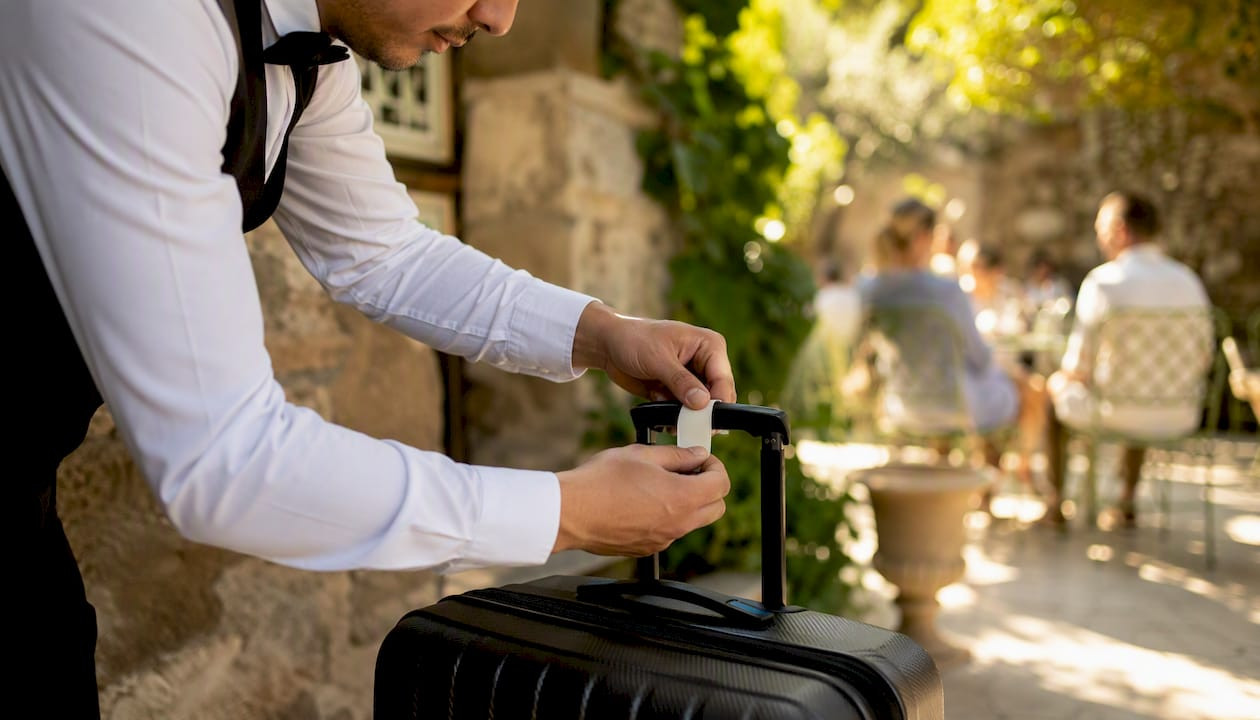
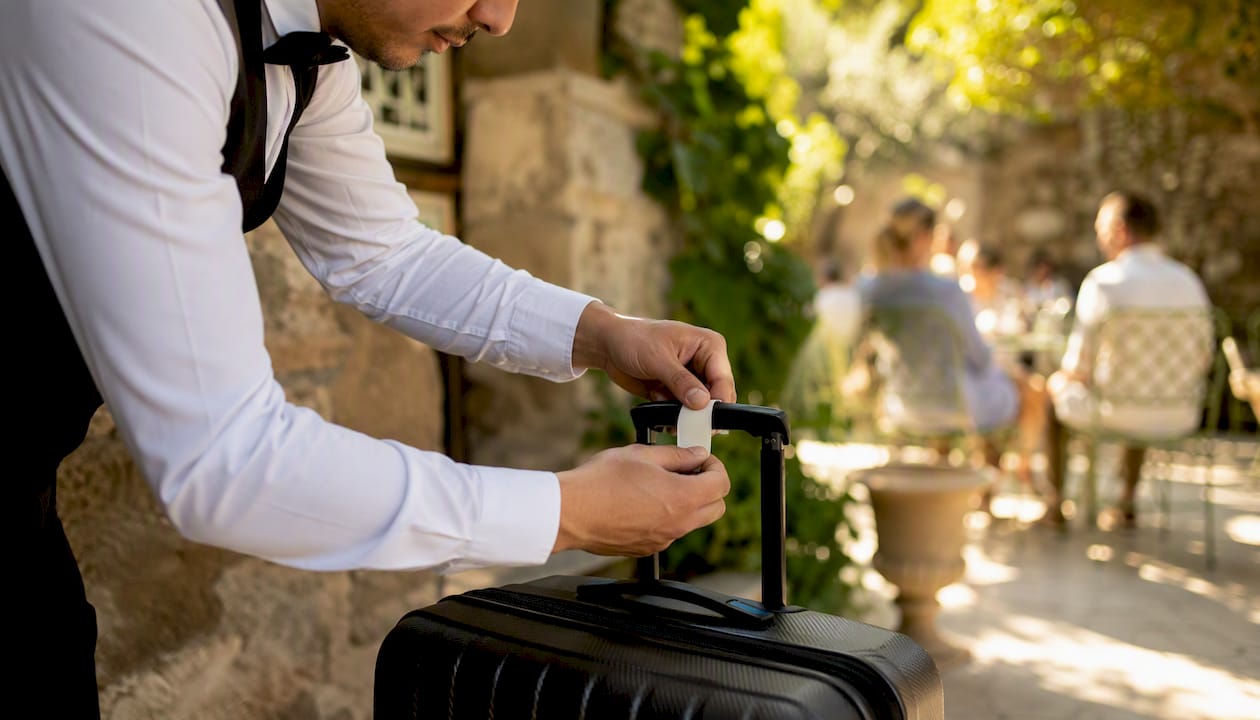
- Tag the bag. Attach the physical claim ticket using transfer tape or string tie. Record the serial number and barcode in the luggage register or digital system.
- Log the entry. Enter the serial number, guest name (if the guest opts in), room number, date, time, and storage zone into the log. If using a digital overlay, scan the barcode to create the digital record.
- Store with zone ID. Place the bag in the designated storage zone and mark the location on the log entry. Use labeled shelving or numbered floor zones to eliminate search time at retrieval.
- Verify ID at pickup. Require the physical claim ticket or digital claim code AND a government-issued ID at pickup to confirm identity. This step is non-negotiable for liability protection.
- Close the record. Mark the log entry as retrieved, note the staff member’s initials, and file or archive the office copy of the physical ticket.
Role responsibilities
- Front desk: Communicates bag-drop availability to arriving guests; records reservation linkage.
- Bell staff: Executes tagging, logging, storage, and retrieval; owns the physical ticket set.
- Security: Maintains access control to the storage area; reviews footage if a claim dispute arises.
- Housekeeping: Coordinates on in-room delivery requests; does not handle unclaimed bags independently.
Staff training
A 30-minute training session covering the SOP steps, the ticket fields, and the scanner workflow is enough for most staff to reach operational competency. Pair it with a one-page quick-reference card posted at the bell desk. A valet key tag system guide offers a useful parallel framework for staff already familiar with valet tagging.
Pro Tip: For group arrivals of 20 or more bags, pre-stage a dedicated logging station with a second scanner and a printed manifest. Trying to process a tour group through a single-lane workflow is the fastest way to create a backlog that lasts the rest of the shift.
How do you reduce liability and protect guest privacy in luggage handling?
Verify government-issued ID upon pickup in addition to the claim ticket or digital code. This single practice, recommended by travel security advisers, closes the most common gap in hotel luggage liability: an impostor presenting a claim ticket they found or were handed.
Beyond ID verification, these controls reduce exposure:
- Chain-of-custody logs: Every transaction (drop-off, storage move, retrieval) carries a timestamp, staff ID, and serial number reference.
- Photo capture: Photograph the bag at check-in and at the storage location. This documents pre-existing damage and confirms the correct bag was stored.
- Restricted storage access: Limit the storage room to bell staff and security. A keypad or key-card entry creates an automatic access log.
- Audit trails: Whether paper or digital, retain records for a minimum of 90 days. In the event of a dispute, a complete log is the hotel’s primary defense.
On the privacy side, limit personally identifiable information on the printed ticket itself. A serial number and room number are sufficient for operational purposes; printing a guest’s full name and phone number on a tag that travels through a public lobby creates unnecessary exposure. If your digital overlay collects contact data for SMS notifications, store only what is needed for that transaction and follow U.S. data-handling best practices, including clear retention limits and access controls on the platform. Claim checks reduce disputes precisely because they create a documented record that neither party can easily contest.
What features should you look for in a digital luggage-claim system?
Prioritize systems that provide guest lookup by reservation number, barcode or QR scanning, SMS or in-app claim codes, photo evidence capture, and a full audit trail exportable to a spreadsheet or PMS report.
Integration checklist for procurement and IT:
- PMS compatibility: The system should connect to Opera, Amadeus, or your property’s management platform to pull reservation data without manual re-entry.
- Concierge and guest messaging: Integration with your existing guest messaging platform (text, in-app, or email) lets staff send claim codes and pickup notifications automatically.
- Barcode scanners: Confirm the system supports standard 1D or 2D barcode formats. Mismatched formats between printed tickets and scanners are one of the most common implementation failures.
- Reporting dashboards: Look for per-shift summaries, outstanding-bag counts, and average retrieval times. These metrics drive continuous improvement.
Integrated luggage management systems that connect PMS, concierge, and guest messaging can reduce manual entry steps by up to 60% during peak hours and cut average bag delivery from 45 minutes to under 15 minutes. That kind of performance gain justifies the integration investment for any full-service property.
For advanced automation, SITA-integrated logistics platforms have demonstrated near-90% task automation in premium tourism deployments, feeding real-time tracking data across multi-point delivery routes. That level of automation is most relevant for large resort properties or hotels with complex in-room delivery workflows.
Operational fit considerations: confirm the system has an offline mode for connectivity outages, test peak-load performance with simulated group arrivals, and count the steps required at drop-off and pickup. Staff will revert to paper if the digital workflow takes longer than the manual one.
Pro Tip: Before go-live, run a sandbox test with sample manifests and a simulated peak-hour drill. Load 50 fictional bag records, process them through drop-off and retrieval, and time each step. You will find integration gaps and UX friction points in 90 minutes that would otherwise surface during a real group arrival.
How do you order tickets: stock vs custom, pricing, and lead times?
For a trial run, order a small custom batch of 1,000–2,500 tickets or use stock serialized packs to validate operations before committing to a large custom run. Stock formats ship faster and cost less per unit; custom formats carry your logo, brand colors, and specific field layouts that reinforce the luxury guest experience.
Typical cost structure for physical tickets:
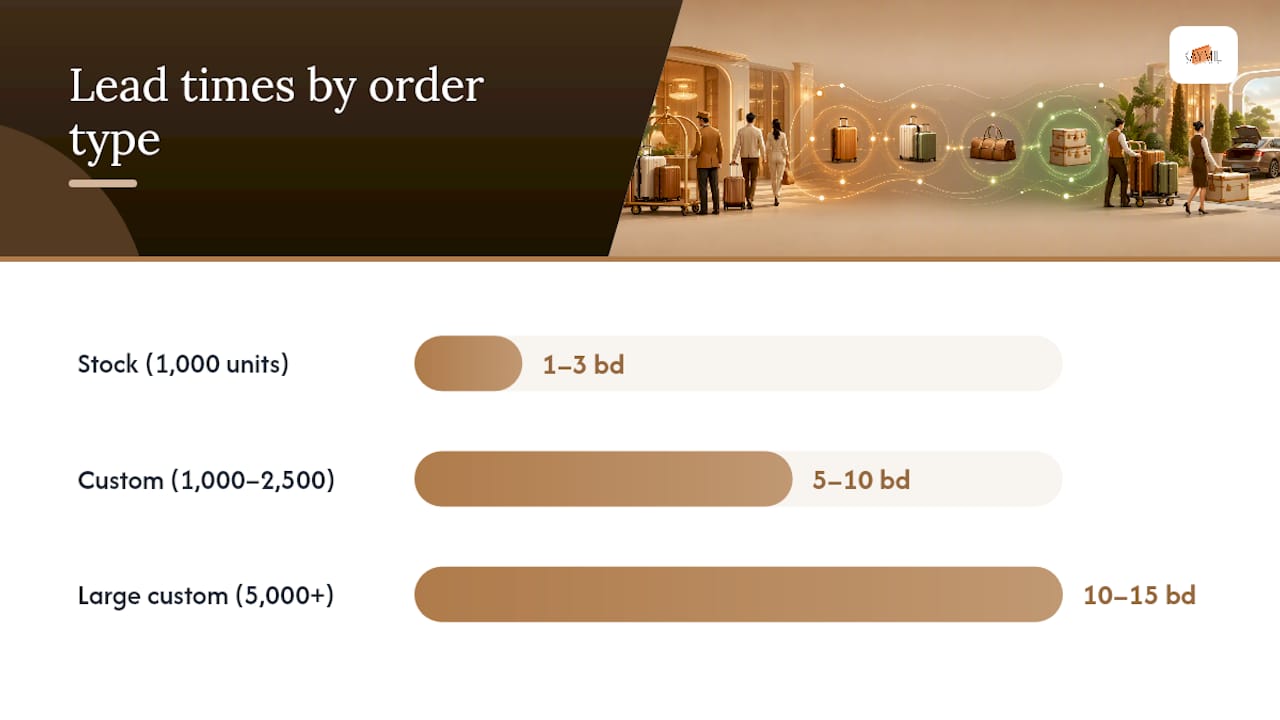
- Stock serialized packs (1,000 units): Lower per-unit cost, available for next-day or 2-day shipping, limited to pre-set field layouts and no logo.
- Custom printed runs (1,000–2,500 units): Moderate setup fee plus per-unit printing cost; production typically runs 5–10 business days after proof approval.
- Large custom runs (5,000+ units): Best per-unit pricing; lead times of 10–15 business days are common for complex multi-part formats.
For digital overlay systems, expect a one-time setup or integration fee plus a monthly or annual subscription. Hardware costs (barcode scanners, tablets) are separate. Integrated deployments for mid-size properties typically take 4–6 weeks from contract to go-live; larger or more complex integrations run 8–10 weeks.
| Order Type | Approximate Lead Time | Notes |
|---|---|---|
| Stock serialized (1,000 units) | 1–3 business days | No logo; standard field layout |
| Custom printed (1,000–2,500 units) | 5–10 business days after proof | Logo, colors, custom fields |
| Custom printed (5,000+ units) | 10–15 business days after proof | Best per-unit cost; multi-part available |
| Digital system integration | 4–10 weeks | Depends on PMS complexity and property size |
Why Caymil is a reliable supplier for luxury-hotel luggage claim tickets
Caymil has manufactured hospitality and parking ticketing products since 1937, giving the company a depth of production knowledge that translates directly into consistent print quality, reliable serial numbering, and durable materials. For luxury hotel operations, that track record matters: a ticket that fades, tears, or misprints a barcode mid-shift creates exactly the kind of service failure a five-star property cannot afford.
Caymil’s product capabilities that match the specs in this guide:
- Sequential serial numbering on every ticket, printed at high resolution for scanner reliability
- Barcode and QR code printing compatible with standard hospitality scanners
- Machine-issued ticket options for high-volume or on-demand issuance
- Barcoded ticket runs for properties implementing scan-based retrieval
- Custom logo, brand colors, and field layouts for luxury presentation
- Transfer tape and adhesive attachment options for clean application to premium luggage
- Ticket racks and dispensers for organized bell-desk storage
- Fast nationwide shipping with stock items available for rapid fulfillment
Ordering checklist for managers working with Caymil:
- Request a sample proof before approving a full run
- Confirm barcode format compatibility with your scanner hardware
- Specify serial number starting range if continuing an existing sequence
- Choose attachment method (transfer tape, adhesive square, or string tie)
- Confirm quantity, paper weight, and number of parts (2-part, 3-part, or 4-part)
- Ask about production lead time and expedited shipping options for urgent needs
Ready-to-use implementation checklist and sample ticket fields
Follow this checklist to go live with a pilot system within one week.
- Order a sample batch of custom 2-part carbonless tickets with serial numbering and barcode from Caymil.
- Conduct a 30-minute staff training session covering the SOP, ticket fields, and scanner workflow.
- Set up or connect the barcode scanner to the digital overlay or luggage register.
- Designate and label storage zones (Zone A, Zone B, etc.) in the luggage room.
- Post the one-page SOP quick-reference card at the bell desk.
- Brief front-desk staff on communicating bag-drop availability and the ID-verification policy to guests.
- Run a 7-day audit: review the log daily, count any discrepancies, and note retrieval times.
Sample ticket fields to print
Every custom ticket for a luxury property should include these fields at minimum:
- Serial number (pre-printed, sequential)
- Barcode or QR code (tied to serial number)
- Hotel name and logo
- Date and time (writable or printed)
- Room number (writable field)
- Guest name (opt-in writable field)
- Staff initials (writable field)
- Legal/house-policy text (pre-printed on reverse: “Not responsible for loss or damage to unclaimed items after [X] days”)
- Pickup ID reminder (“Valid government-issued ID required at pickup”)
A complete valet ticket setup guide covers the parallel workflow for valet operations and is a useful reference for bell staff who handle both services.
What managers often get wrong when rolling out a luggage claim system
The most common implementation failures are not technology failures. They are process failures: misaligned integrations, insufficient staff training, and using low-durability materials that degrade before the first reorder arrives.
Specific problems and how to fix them:
- Printing errors on custom runs: Always request a proof and verify the barcode scans correctly before approving the full print run. A barcode that looks correct visually can still fail to scan if the bar width is off.
- Mismatched barcode formats: Confirm with your scanner vendor which 1D or 2D formats the hardware reads. Ordering tickets with Code 128 barcodes for a scanner configured for QR only is a common and entirely avoidable mistake.
- Staff reverting to old habits: If the digital workflow adds more than two steps compared to the paper log, staff will abandon it under pressure. Simplify the scan workflow to a single tap or scan at drop-off and retrieval.
- Unclear pickup verification policies: Post the ID-verification requirement visibly at the bell desk and script it into the guest greeting. Inconsistent enforcement is the primary source of guest disputes.
KPIs to track during the pilot week: average pickup time per bag, number of lost or misrouted bags, guest complaints related to luggage, and staff time per transaction. These four metrics will tell you within seven days whether the system is working or needs adjustment.
Caymil supplies the tickets this guide recommends
Caymil manufactures the exact ticket formats described throughout this guide: custom 2-part carbonless luggage claim tickets with sequential numbering, barcoded runs for scan-based retrieval, machine-issued formats for high-volume bell desks, and ticket racks for organized storage. Every product ships nationwide, with stock options available for fast fulfillment and custom runs produced to your brand specifications.
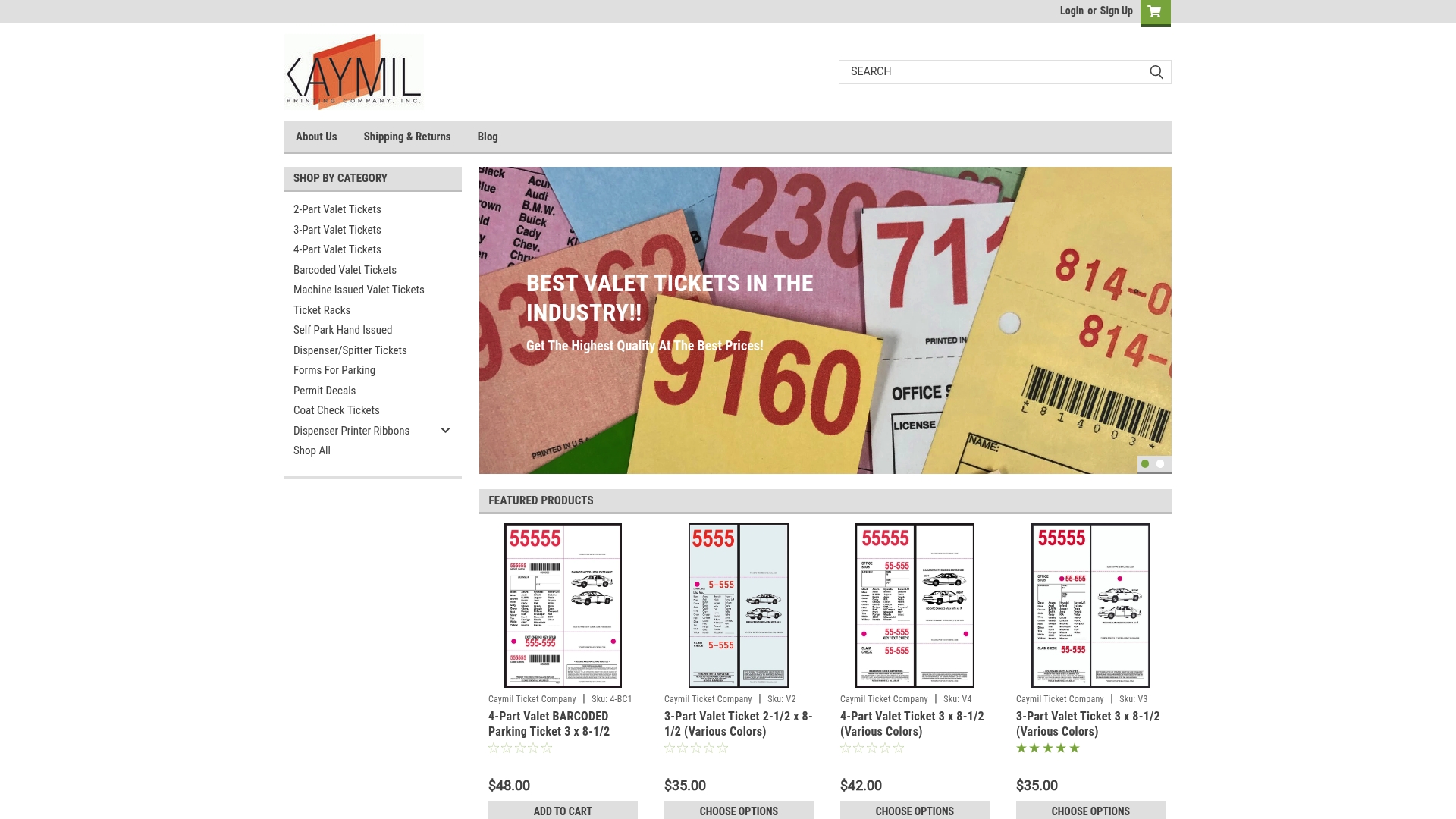
The ordering process is straightforward: request a sample proof, confirm your barcode format and field layout, approve the proof, and place your pilot order. Caymil’s production team can advise on paper weight, attachment options, and quantity minimums based on your property’s daily bag volume. For managers ready to move from manual logs to a branded, scan-ready system, browse Caymil’s barcoded ticket options or order 2-part carbonless tickets to start your pilot.
Sources
These sources informed the operational guidance and product specifications in this article. Each is worth reviewing before procurement or system selection.
- Checking your luggage at a hotel? Here’s how to keep it safe | The Seattle Times
- Bell Desk | Chexology’s paperless luggage system
- Luggage Management System Singapore – Hotel Concierge - Prestige Solutions
Managers should also review sample proofs from their ticket supplier, request integration documentation from any digital platform vendor, and complete a sandbox test before go-live.
FAQ
What is a baggage claim ticket at a hotel?
A hotel baggage claim ticket is a serialized receipt issued when bell staff accepts a guest’s luggage for storage. The guest keeps the claim portion; the hotel retains the matching office copy as a chain-of-custody record.
What is the 20-minute baggage claim rule?
The 20-minute rule is an airline industry standard requiring carriers to deliver checked bags to the claim belt within 20 minutes of gate arrival. Hotels do not operate under this rule, but many luxury properties set internal SLA targets for bag delivery to rooms.
Can a guest ask any hotel to hold their luggage?
Most hotels will store luggage for current or arriving guests as a courtesy, but policies vary. Guests should always request a formal claim ticket with a serial number; storing bags without a ticket creates liability exposure for both parties.
What are the luggage holders in hotels called?
The luggage storage area at a hotel is typically managed by the bell desk or bell stand. Staff who handle bags are called bell attendants or porters, and the storage room itself is often referred to as the luggage room or bag room.
How does a digital luggage claim system differ from a physical ticket?
A digital system replaces or supplements the paper ticket with a barcode scan, SMS claim code, or QR lookup tied to the guest’s reservation. Paperless platforms create an automatic audit trail and enable staff-to-guest text notifications without requiring a guest app download.
Recommended
- Luxury Hotel Valet Ticket Explained for Guests and Pros - Caymil Printing Co., Inc.
- Why Valet Operations Use Claim Checks: Reduce Disputes - Caymil Printing Co., Inc.
- Premium Valet Ticket Guest Experience: 2026 Guide - Caymil Printing Co., Inc.
- Machine Issued Valet Tickets - Caymil Printing Co., Inc.