
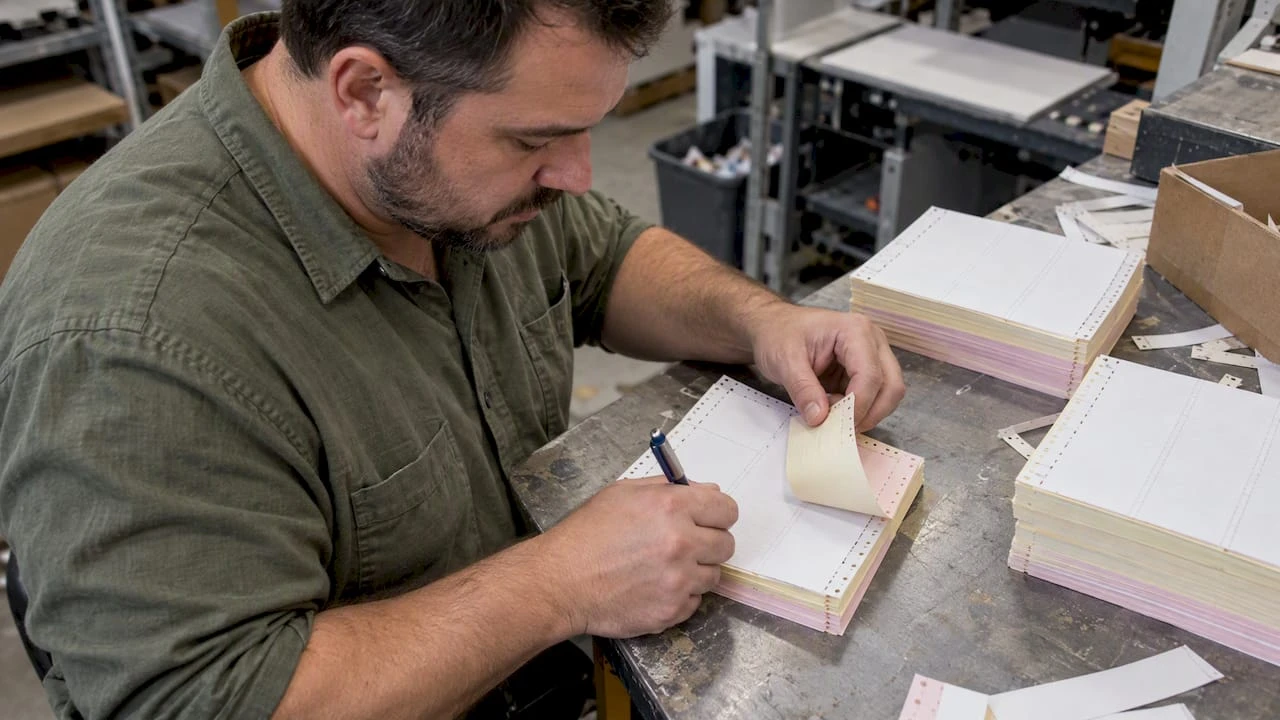
Carbonless Ticket Printing for Event and Parking Operators: Proof First

Carbonless ticket printing produces instant duplicate copies through a pressure-sensitive chemical coating, with no carbon paper required between layers. The operational rule that matters most: choose the correct part count for your workflow and confirm your printer or production partner supports it, and always request a printed proof before committing to a full run. We work with parking, valet, and event operators every day who rely on this process, and the suppliers who get it right treat the proof step as non-negotiable, including those coordinating branded transportation and event shuttles for seamless event logistics.
TL;DR:
- Most valet and parking workflows need 2 or 3 parts; each added ply weakens pressure transfer, so the final copy becomes less legible.
- Impact printers produce legible copies across several sheets, while standard laser fusers can trigger premature dye reactions; stock designed for laser printers avoids this failure.
- For office printing, use the bypass tray, select Heavy or Label stock, disable duplexing, and keep resolution between 300 and 600 DPI.
- Tickets dispensed by machines must match the hardware’s roll diameter, core size, and thickness; small mismatches can cause jams after successful sample runs.
- A printed proof can expose numbering, color, legibility, and fit problems on actual stock before a large order reaches production.
Table of Contents
- What carbonless (NCR) paper is and how it creates duplicate copies
- Formats: cut-sheet, continuous, and roll tickets
- Printer compatibility: which machines handle multi-part copies
- Office printing setup for sharp, consistent copies
- Troubleshooting common carbonless printing problems
- What to specify when ordering custom carbonless tickets
- Environmental impact and recyclability of carbonless paper tickets
- When carbonless tickets are the right operational choice
- How Caymil can help you order the right tickets
- FAQ
- Sources
What carbonless (NCR) paper is and how it creates duplicate copies
Carbonless paper, often called NCR paper (no carbon required), relies on micro-encapsulated dye that sits on the back of one sheet and a clay-based developer coating on the front of the sheet beneath it. When a pen or printer applies pressure, the tiny capsules rupture and the dye reacts with the developer, creating an image on the layer below. That reaction is instant and irreversible, which is why a completed ticket cannot be altered after the fact without the change showing on every copy, according to Sfpaper.
Each sheet in a set plays a specific role, and manufacturers label them accordingly:
- CB (coated back): the top sheet, coated with dye capsules on the underside only.
- CFB (coated front and back): a middle sheet, coated with developer on top and dye capsules on the bottom, used in any set with three or more parts.
- CF (coated front): the last sheet, coated with developer only on top and nothing beneath it.
A 2-part ticket uses one CB and one CF sheet. A 3-part set adds a CFB in the middle, and a 4-part set stacks two CFB sheets between the CB and CF. Clarity on the final copy tends to fade as part count increases, since the pressure driving the reaction weakens with each additional layer. For most valet and parking operations, a 2-part or 3-part set strikes the right balance between legibility and the number of copies the workflow actually needs, as outlined in manufacturer technical notes on ply function.
Formats: cut-sheet, continuous, and roll tickets
The physical format you choose depends on how the tickets get filled out and by what equipment.
- Cut-sheet carbonless comes in half-sheet, letter, or legal sizes and works well for handwritten receipts, coat check stubs, or any ticket issued one at a time from a pad.
- Continuous (fan-fold) carbonless is perforated and connected in a folded stack, built for dot-matrix impact printers that pull paper through with tractor-feed sprockets. This format fits high-volume valet and garage operations where tickets print automatically as cars arrive.
- Roll carbonless feeds through dispenser machines and point-of-sale printers, producing tickets or receipts one at a time without manual tearing from a pad. It works for parking garages with machine-issued entry tickets and for kitchen or POS tickets, provided the printer itself is built to accept roll carbonless stock.
- Machine-issued or “spitter” tickets are dispensed automatically at gate arms or pay stations and need to match the exact roll diameter, core size, and thickness the dispenser hardware expects, since even small mismatches cause jams.
Matching format to equipment up front avoids the most common complaint we hear from new accounts: tickets that print fine as samples but jam once they hit a dispenser. If your facility already issues machine-dispensed tickets, our carbonless parking tickets guide walks through how format choice affects daily throughput at a staffed valet stand versus an unattended gate.
Printer compatibility: which machines handle multi-part copies
Not every printer in an office can run carbonless stock, and the differences come down to how each technology applies pressure or heat.
Dot-matrix and impact printers remain the most reliable choice for multi-part carbonless. The print head strikes the ribbon directly against the paper, generating the same mechanical pressure a pen does, so every ply in a 2-, 3-, or 4-part set picks up a legible image. This is why impact printers still run the floor in busy valet stands and ticket booths despite being an older technology, according to sfpaper.com’s complete guide to NCR forms.
Inkjet printers can handle single-sheet carbonless stock made specifically for inkjet, but they are not built to transfer an image through multiple plies, since they deposit liquid ink on one surface rather than applying mechanical pressure.
Laser printers present the biggest risk for standard carbonless stock. The fuser assembly heats paper to bond toner, and that heat can prematurely rupture the dye capsules across an entire ream, a failure mode usually called pre-activation or ghosting. Standard NCR paper and laser fusers do not mix well. The workaround is a category sometimes called digital carbonless or universal carbonless, engineered specifically to survive dry-toner fusing without reacting early, which lets short-run digital and laser jobs produce legible multi-part sets, as detailed in Nekoosa’s Universal Carbonless product overview.
A statistic worth sitting with: sfpaper.com’s step-by-step printing guide notes that running ordinary carbonless through a standard laser fuser is one of the most common causes of ruined batches reported by in-house print shops, which is exactly why stock selection has to match the printer before a job starts, not after.
Before placing an order or running a batch, confirm:
- The printer technology (dot-matrix, inkjet, or laser) matches the carbonless stock type.
- If laser is the only option available, the stock is explicitly labeled laser-compatible or digital carbonless.
- Your supplier has tested the exact part count against your printer model, not just the stock in general.
Office printing setup for sharp, consistent copies
Short in-house runs on carbonless stock succeed or fail based on a handful of printer settings and handling habits.
- Load the stock through the manual bypass tray rather than the main paper drawer, since bypass feeding applies steadier, flatter pressure across the sheet.
- Set the paper type in your print driver to “Heavy” or “Label” rather than “Plain,” which tells the printer to adjust pressure and, on laser units, heat.
- Disable duplex printing entirely. Carbonless sets are not meant to be printed on both sides, and duplexing can misalign plies.
- Keep resolution in the 300 to 600 DPI range. Higher settings rarely improve carbonless legibility and can increase heat exposure on laser printers.
- Fan the sheets before loading them into the tray to prevent static cling, which is a frequent cause of multi-sheet feeds and jams.
- Check that the CB (coated back) sheet faces up and sits on top, so the set feeds and reacts in the correct order.
- Run one test set before committing to a full batch, and inspect the bottom copy first, since it shows whether pressure made it all the way through the stack.
- Let printed sets rest briefly before stacking them tightly, since heat and pressure from a laser fuser need a short cooling window to prevent smearing or transfer marks between finished sets.
Pro Tip: Use aqueous-based ink if you’re running any portion of the job on inkjet, since solvent-based inks can smear on the coated surfaces common to carbonless stock.
Paper weight and part count work against each other: heavier stock improves durability but reduces how much pressure reaches the bottom ply, so a 4-part set generally calls for a lighter base weight than a 2-part set to keep the last copy readable.
Troubleshooting common carbonless printing problems
Most carbonless complaints trace back to one of five causes, and each has a direct fix.
- Faint copies: increase print pressure if your printer allows manual adjustment, switch to a firmer-tip pen for handwritten tickets, or reduce the part count so pressure has fewer layers to travel through.
- Ghosting or pre-activation: this points to excess heat, usually from a laser fuser running too hot for the stock. Switch to laser-compatible carbonless or let printed sheets cool fully before stacking.
- Jams and misfeeds: fan the paper before loading, confirm you are using the correct tray (bypass for most carbonless jobs), and double-check that the paper thickness setting in the driver matches the actual stock weight.
- Reversed or misassembled layers: coated sides have a slightly duller finish than plain paper sides. If a set reads blank on one copy, the sheets were likely stacked with the coating facing the wrong direction and need to be reassembled CB-CFB-CF in order.
- Storage damage: heat and humidity degrade the dye and developer coatings even before printing. Store carbonless stock away from direct sunlight and heating vents, and keep a writing shield or backing board with any pads used for handwritten tickets to protect the reactive surfaces during storage and transport.
Our ticket inventory management guide covers how storage conditions affect shelf life for operators who keep several months of stock on hand.
What to specify when ordering custom carbonless tickets
A clear specification sheet is what separates a first-run success from a reprint. When requesting custom carbonless tickets, provide:
- Part count and ply order, confirming whether you need 2-part, 3-part, or 4-part sets and which copy (customer, operator, file) corresponds to which ply.
- Size, perforation, and paper weight, along with any color coding per ply so staff can visually sort copies at a glance.
- Sequential numbering and variable data needs, including whether you need barcodes for scanning integration, with number placement kept clear of folds or perforations, a detail covered in our ticket numbering and imposition guide.
- Logo placement and signature lines, specifying where branding sits relative to the numbering and any fields a customer or attendant needs to sign.
- Dispenser or machine compatibility specs, including roll diameter, core size, and the exact printer or gate model the tickets need to run through, since dispenser tension and tear-edge geometry are common mismatch points that only a physical test reveals.
- Security features, such as void pantographs, microprinting, or sequential numbering gaps that make duplication or reuse easy to spot.
Once specs are set, request a printed proof set before approving full production. A physical proof lets you test the actual stock in your actual dispenser or printer, check numbering sequence, and confirm colors before thousands of tickets are committed to the run, a step sfpaper.com’s NCR paper guide calls standard practice for a reason: it catches problems a digital file never shows.
Environmental impact and recyclability of carbonless paper tickets
Carbonless paper is made from standard wood-pulp stock with a thin microencapsulated coating, and most municipal paper recycling programs accept it alongside other office paper, since the coating does not involve the heavy metals or solvents found in older carbon-paper products. Compared to traditional carbon interleaved forms, carbonless tickets eliminate an entire layer of waste material, since there is no separate carbon sheet to discard after each use.
Compared to purely digital ticketing, paper carbonless tickets carry an obvious physical footprint, but they also require no device, no battery, and no network connection to function, which matters in outdoor valet stands, parking garages, and event gates where phones die and connectivity drops. For operators weighing the tradeoff, the more relevant question is usually durability and reliability under field conditions rather than paper versus no paper, since most ticketing workflows still need a physical backup regardless of what digital system runs alongside it.
Buying only the part count you actually need, rather than defaulting to a heavier multi-part set out of habit, is the simplest way to reduce material use without changing how your operation runs day to day.

When carbonless tickets are the right operational choice
Carbonless tickets earn their keep in environments where a phone can die, a tablet can crack, or a network can drop, and the transaction still has to get recorded. Parking garages, valet stands, casino floors, and outdoor event gates are exactly these environments, and after decades of manufacturing ticketing products for operators in those industries, we have watched carbonless stock outlast more fragile digital-only setups more than once.
The suppliers worth trusting are the ones who treat a printed proof as a required step, not an upsell. A proof set catches numbering errors, dispenser mismatches, and color problems before they become a warehouse full of unusable tickets.
— Richard
How Caymil can help you order the right tickets
We offer 2-part, 3-part, and 4-part valet and parking tickets built for the formats and printers covered above, along with barcoded tickets for operations that scan at entry or exit. Each product line is made to the part count and ply order you specify, and a printed proof is provided before any full run goes to press, so you see exactly what your attendants and guests will see.
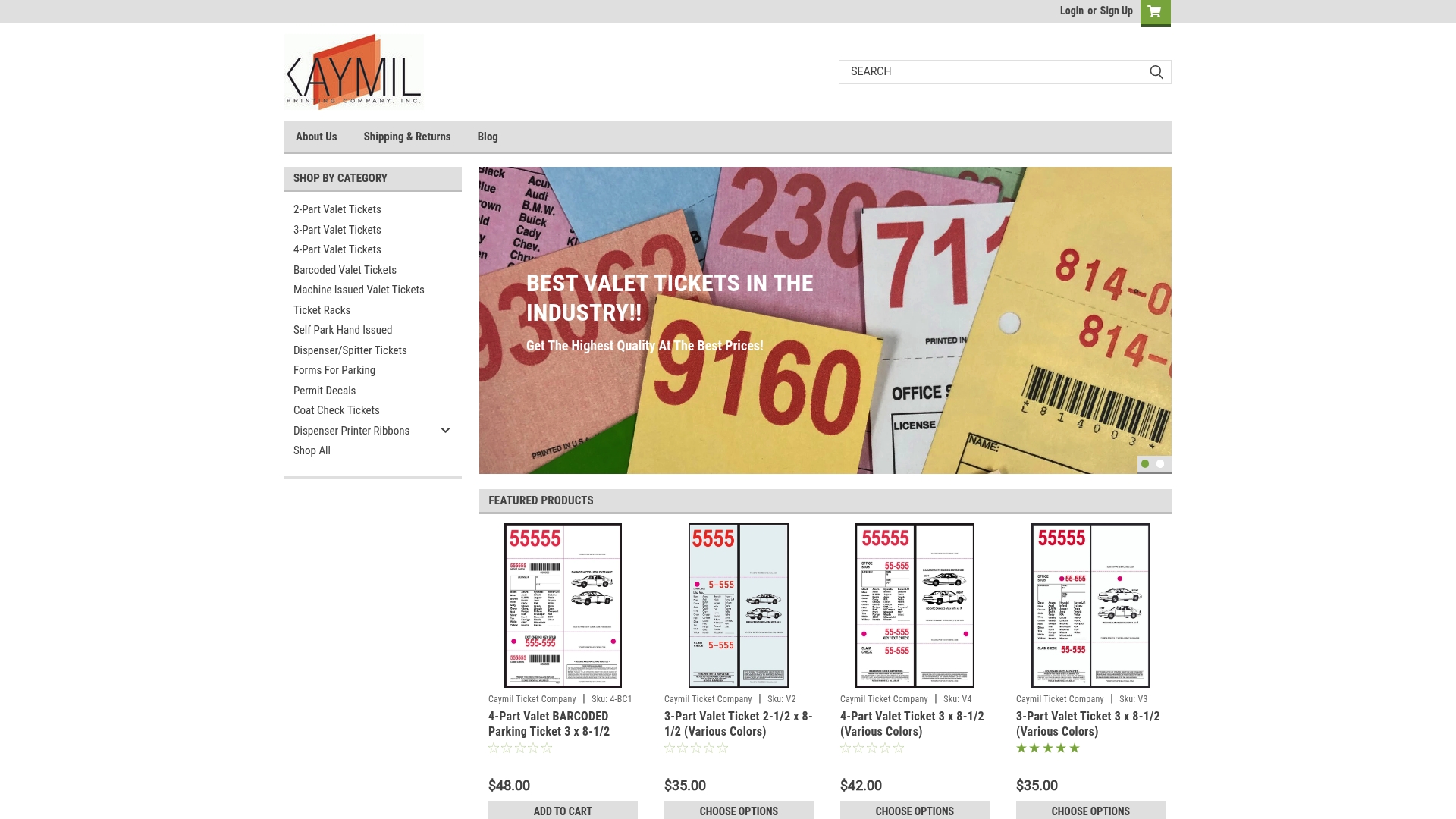
If your operation issues tickets through a dispenser or gate arm, our dispenser and spitter ticket line is built to match common roll and core specs, and we can confirm compatibility with your hardware before production starts. For barcode scanning or integration with an existing parking system, check our barcoded valet ticket page for current specs and options. Ready to order 2-part, 3-part, or 4-part tickets. Request your proof today.
FAQ
What does carbonless mean on a ticket or form?
Carbonless means the ticket uses a pressure-sensitive chemical coating instead of a physical carbon sheet to create duplicate copies. Pressure from a pen or printer ruptures dye capsules on one sheet, which react with a developer coating on the sheet below to form an instant copy.
How many parts do I need for valet or parking tickets?
Most valet and parking operations use 2-part or 3-part sets, giving a customer copy, an attendant copy, and sometimes a file copy. Four-part sets work for operations needing an extra administrative or security copy, though clarity on the final sheet naturally decreases with each added ply, according to manufacturer technical notes.
Can I print carbonless tickets on a regular laser printer?
Standard carbonless stock generally does not survive a standard laser fuser without pre-activating or ghosting, since the heat used to bond toner can rupture the dye capsules prematurely. Laser-compatible or digital carbonless stock is specifically engineered to avoid this problem, as described in Nekoosa’s digital carbonless overview.
Why are my carbonless copies coming out faint?
Faint copies usually mean insufficient pressure reached the lower plies, which can happen with a light-tip pen, a worn impact printer ribbon, or too many parts in the set. Switching pen type, increasing printer pressure where adjustable, or reducing part count typically resolves the issue.
Should I request a proof before ordering a full batch of custom tickets?
Yes. A printed proof lets you check numbering sequence, color accuracy, dispenser fit, and overall legibility on the actual stock before committing to full production, which is standard practice recommended across the industry.
Sources
- What is carbonless paper? A complete guide to NCR forms and uses
- Universal carbonless / product overview (digital carbonless)
- Carbonless sheets - technical solutions handbook (Appvion / manufacturer notes)