
Magstripe Ticket Printing for Parking Operators: Specs and Setup
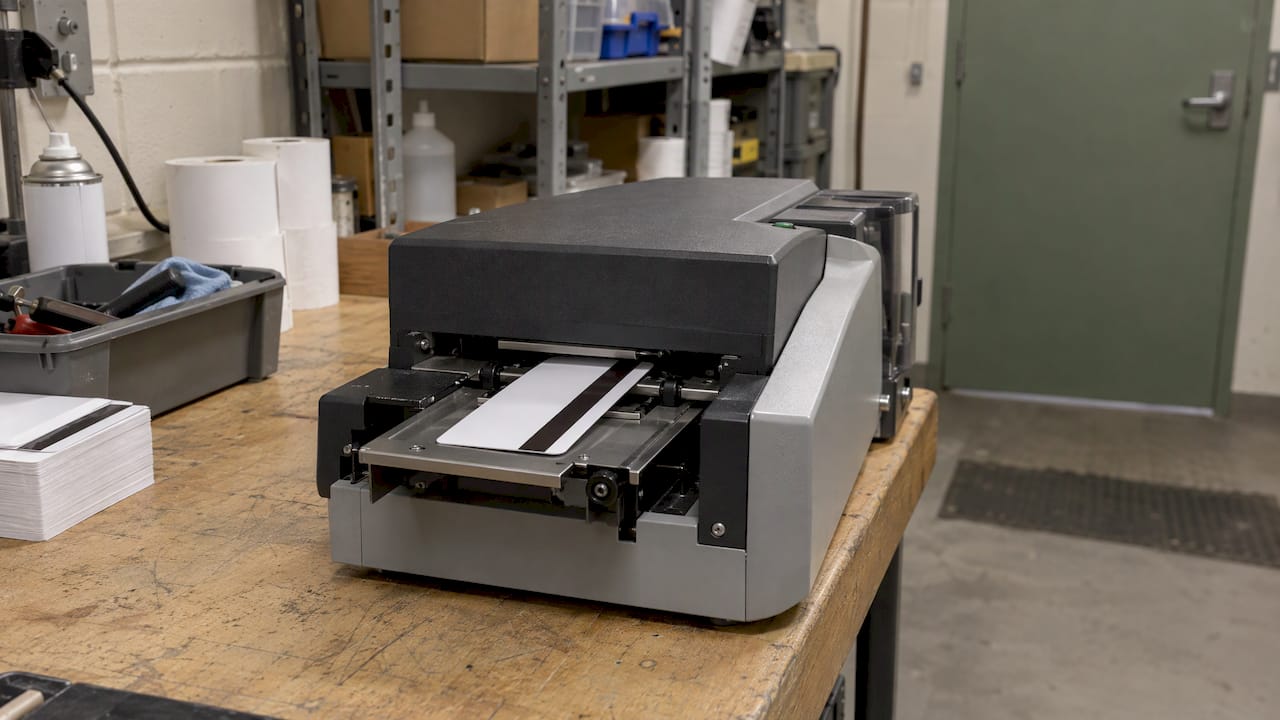
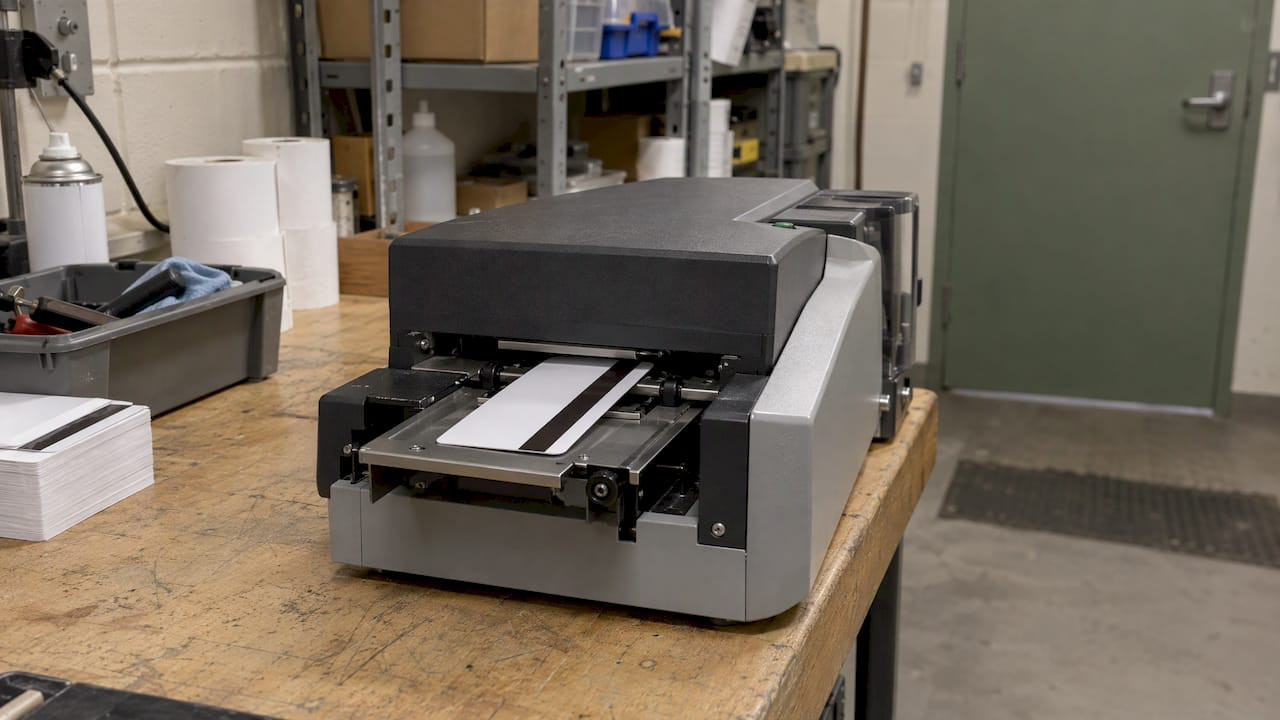
Magstripe ticket printing comes down to four decisions: the stripe type, the stock, the ticket dimensions and the encoding layout your gate equipment expects. Get them right and tickets feed, encode and read at the entry lane, the pay station and the exit verifier without jams. Get one wrong and you find out at 5 p.m. on a Friday. Caymil has manufactured parking tickets since 1937 and supplies magnetic stripe tickets built for major parking systems including Amano, TIBA, SKIDATA, FLASH Parking, Scheidt & Bachmann and Flowbird. This guide gives you the specifications to check before you order.
TL;DR
- Parking tickets use low-coercivity (LoCo) stripes, typically 300 Oe, because they need little magnetic energy to encode.
- Stock, stripe width, thickness and perforation placement must match what your dispenser and readers were built for.
- Never print or laminate over the stripe, and keep perforations off the magnetic track.
- Clean readers regularly and use tested stock: dirt and abrasive stripe material are the main causes of read errors.
- Send your system make and model with the order so the ticket is matched to the equipment. Our magstripe encoding checklist walks through it.
Table of Contents
- What a magstripe ticket does in your operation
- LoCo or HiCo: which stripe parking uses
- Stock, size and stripe specifications
- Printing the ticket face without hurting the stripe
- Keeping tickets readable day to day
- Matching tickets to your parking system
- Our perspective
- Ordering magstripe tickets from Caymil
- FAQ
- Sources
What a magstripe ticket does in your operation
In a ticket-in, ticket-out facility, the entry dispenser issues a ticket with the entry time encoded on the stripe. The pay station reads it, calculates the fee and writes a validated status back. At the exit, the verifier reads the validated ticket and raises the gate. Parking Professional describes this sequence and puts standard magstripe tickets at $0.02 to $0.05 each in the US.
The ticket also carries a practical advantage: because the entry time lives on the ticket itself, payment can still be calculated when the network drops or software fails, according to the same source. For garages, hotels, hospitals and casinos that cannot close a lane during an outage, that fallback matters.
The supporting equipment has its own vocabulary. The BPA/IPI technology glossary defines a validator as a device that encodes validations onto the original ticket or onto a separate magnetic stripe validation ticket. A magnetic stripe reader (MSR) converts stripe data into a signal a computer can use and must touch the stripe, so it wears. An encoding station lets a cashier update a ticket’s stripe with new information such as a rate or payment.
LoCo or HiCo: which stripe parking uses
Coercivity, measured in oersteds (Oe), describes how much magnetic energy it takes to write or erase a stripe. The BPA/IPI glossary explains that parking tickets use low-coercivity stripes because they need less energy to record, while high-coercivity stripes are harder to erase and are used on credit cards.
| Property | LoCo | HiCo |
|---|---|---|
| Typical strength | 0 to 300 Oe | 300 to 3,000 Oe |
| Color | Dark brown | Black |
| Best for | Parking tickets, transit, visitor passes | Frequent-swipe, long-term cards |
| Weakness | Easily erased by magnets | Needs more encoding energy |
The ranges and uses come from ProxSource’s encoding guide. For a single-trip parking ticket, LoCo is the standard choice, and your encoder must be set up for it. The glossary also warns that a LoCo stripe can be damaged by even brief contact with a magnetic purse strap or fastener. That is a reason to plan for the occasional damaged ticket at the exit, not a flaw in the format: keep a cashier-assisted lane procedure ready.
Some Zebra ticket printers, such as the TTPM2, offer a 2,750 Oe HiCo option for operations that want tickets resistant to household magnets. Confirm what your reader and encoder support before choosing it.
Stock, size and stripe specifications
The manufacturer manuals for ticket printer/encoders are the clearest public statement of what a magstripe ticket must be. Zebra’s TTPM2 installation and programming manual lists:
- Width: 53.98 ± 0.20 mm (ISO 7810 dimensions).
- Length: 85.6 mm or 110.0 mm, each ± 0.25 mm.
- Material: 100% chemical pulp paper with no ground wood, triplex laminate, or PVC.
- Thickness: 0.18 to 0.40 mm for paper and laminate, 0.18 to 0.25 mm for PVC.
- Thermal coating: ANSI 3.11, maximum 75 Sheffield smoothness.
- Stripe types: full tape, transfer tape or slurry, at 300 Oe as standard.
That is one printer family, and other gate systems differ. The point is that these tolerances are tight, and a ticket that is a fraction out of spec will misfeed. Parking-industry tickets are often wider and longer than ISO card size, so match the dimensions to your own dispenser. The ISO/IEC 7811-2 standard for low-coercivity stripes sets minimum stripe widths of 11.89 mm for tracks 1 and 2 and 15.95 mm for tracks 1 to 3, and it says printing over the stripe must not impair its function.
How much data fits
On the TTPM2, per its technical specification, track 2 is encoded at 75 bits per inch and holds 200 bits, or 37 five-bit characters. Tracks 1 and 3 are encoded at 210 bits per inch and hold 492 bits each: 79 six-bit characters on track 1 and 95 five-bit characters on track 3. Start, stop and check characters are added automatically, and the printer reads back what it wrote.
That is enough for a ticket number, a location code, an entry timestamp and a paid status, which is why the format works in a lane. How those fields are laid out is set by your parking system, not by the printer. Tell your ticket supplier which system you run so the stripe matches.
Printing the ticket face without hurting the stripe
The Zebra specification gives printing rules that apply to any magstripe ticket design:
- Use the right ink. Laser-approved ink without whiteners on the thermal side, and offset ink on the stripe side. Abrasive inks and whiteners wear read/write heads.
- Keep the stripe clear. Do not print or laminate over it, and do not let perforations cut into the magnetic track.
- Leave the data area alone. Logos, disclaimers and promotions belong in the free area of the ticket. One ticket supplier’s published design shows a 2 1/8" x 6" ticket whose top side is open for customer printing apart from a reserved data area.
- Do not rely on tight registration. Guide tolerances and humidity-driven width changes can shift thermal print against preprint by up to 0.65 mm, so avoid designs where the two must line up closely.
Custom branding is where an experienced manufacturer saves you reprints. Our custom tickets can carry logos, sequential numbering, security features and custom colors, and each of these has to be placed around the stripe and data area.
Keeping tickets readable day to day
Reader and ticket wear together, so most read errors trace to a few causes.
Dirty heads. An APTA technical report documents that body oils, metal dust and cosmetics build up on magnetic heads and cause read/write errors. Regular head cleaning is the prevention.
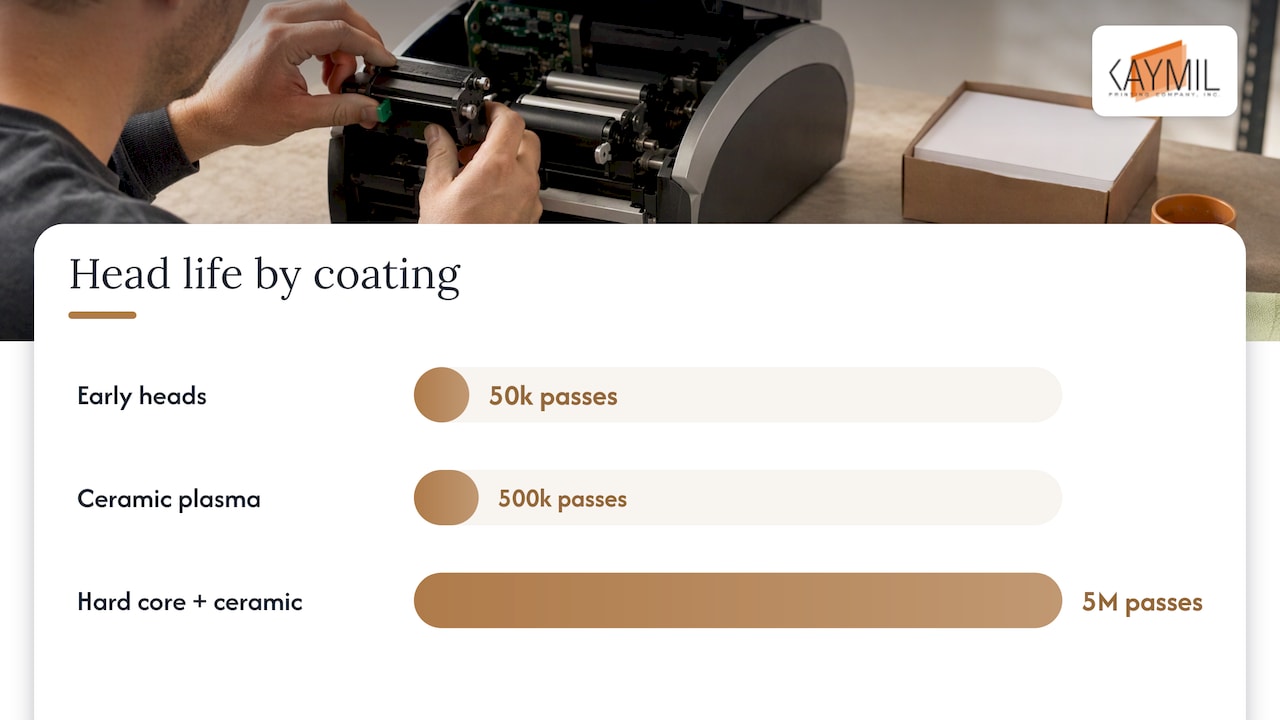
Abrasive stripe material. The same report notes that early heads on slurry-stripe paper tickets stopped working after about 50,000 passes. Ceramic plasma coating extended head life to 500,000 passes, and a harder core with ceramic coating reached 5,000,000. Quality-tested stock protects the equipment you already own.
Component life. The TTPM2 specification cites roughly 1,000,000 tickets for the printhead and for the read/write head with full-tape stripe, and 500,000 cuts for the cutter. It sets a mean time between failures of about 1.4 years at 30,000 documents a month with cleaning every two months, and says stock and stripe type strongly affect life.
Mismatched ticket and reader. APTA stresses testing the ticket and the reader as a pair, using calibration cards at set points such as ±25% jitter or 60% of the ISO reference amplitude, rather than assuming one side’s conformance guarantees system performance. In practice, a short pilot lot on your own lanes before a 50,000-ticket run is the sensible way to confirm the pairing.
Matching tickets to your parking system
Public procurement specs show what a typical system expects. The Maryland Stadium Authority’s parking control equipment specification calls for entry dispensers with thermal printers holding 10,000 fanfold tickets, exit terminals with magstripe readers that raise the barrier on a valid ticket, and pay stations with readers and validators.
Before ordering, collect:
- Equipment make and model for the dispenser, pay station and exit verifier
- Ticket size, stock weight and thermal or conventional surface
- Stripe width and coercivity
- Fanfold or roll format and bundle quantity
- Any black-mark or sensor requirements (see our guide to black-mark ticket specs)
- Barcode needs if some lanes read barcodes (see parking barcode formats)
We publish system-specific guides, including SKIDATA tickets and FLASH Parking tickets, and a broader overview of ticket media in parking systems.
Our perspective
Most ticket problems we hear about are specification problems, not printing problems. The stripe was the wrong strength, the stock was a hair too thick, or a perforation ran into the track. None of that shows until the tickets are in the dispenser.
That is why we work from your equipment first. Caymil has specialized in parking tickets since 1937, and we make magnetic stripe, thermal, barcode and machine-issued tickets compatible with Amano, TIBA, SKIDATA, FLASH Parking, Scheidt & Bachmann and Flowbird. Starting from your system, rather than from a catalog page, is how a ticket ends up working on the first lane.
Durable printing, a large stock of tickets and fast nationwide shipping mean you can keep a reorder cycle short and your lanes running.
Richard
Ordering magstripe tickets from Caymil
We supply stock and fully custom parking tickets with sequential numbering, barcoding, logos, security features and custom colors. Our catalog includes SKIDATA TKC450 magnetic stripe tickets at $34.22 per thousand in an 18,000 quantity, and our dispenser and spitter tickets and machine-issued tickets cover other lane formats. For a custom design, start from the Caymil site.
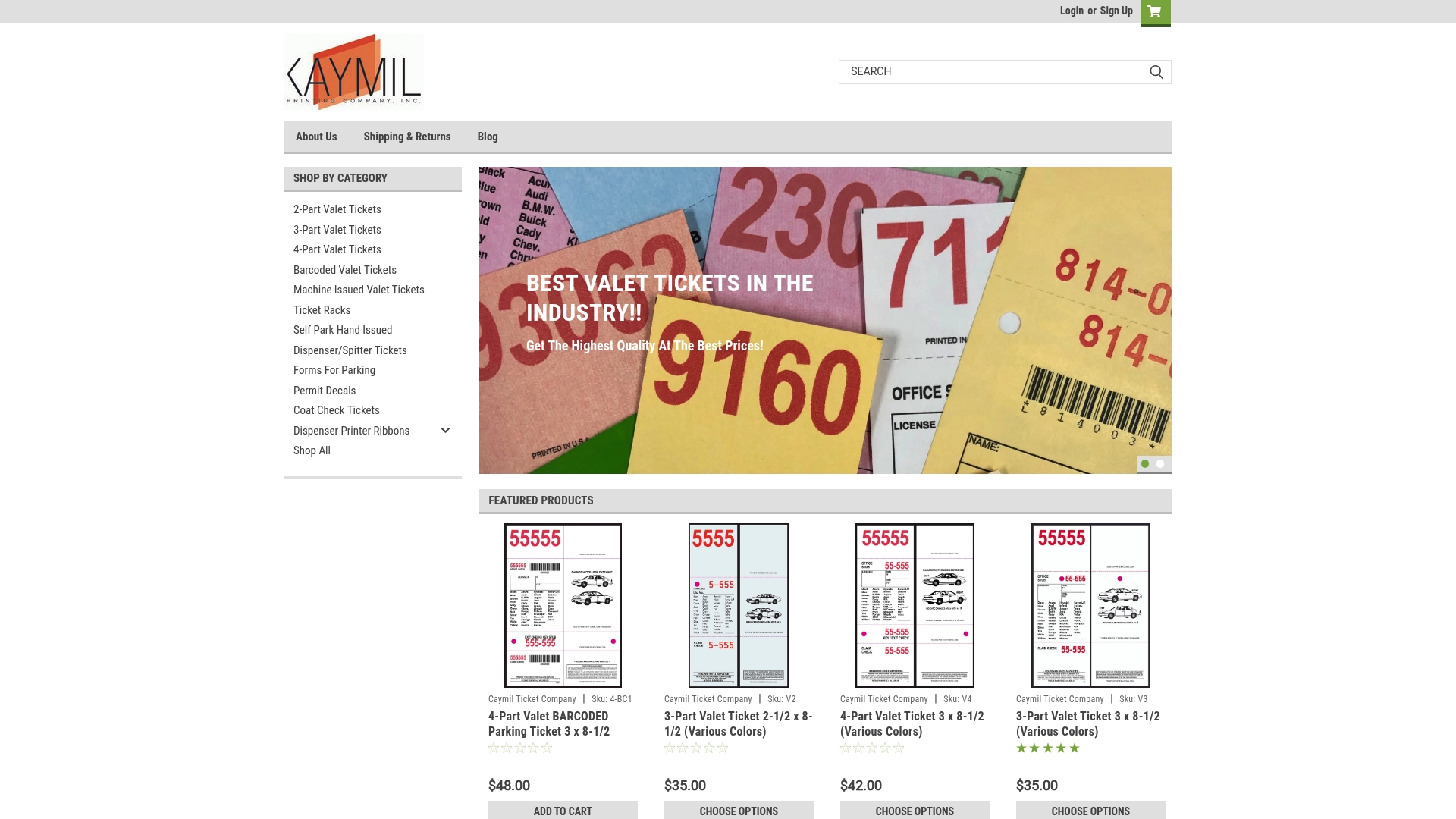
Valet operations can pair stripe-free paper tickets with the same ordering routine: see our barcoded valet tickets and ticket racks.
FAQ
What coercivity should parking magstripe tickets use?
Low coercivity, usually 300 Oe. It takes little energy to encode, which suits a ticket used once and discarded. Confirm your encoder and reader settings match before ordering.
Can I print a logo over the magnetic stripe?
No. Printing or laminating over the stripe can impair it. Put branding and disclaimers in the open area of the ticket, away from the stripe and the reserved data area.
Why do some tickets read as damaged at the exit?
Common causes are a dirty reader head, a stripe erased by contact with a magnet such as a purse fastener, or a ticket and reader that are not matched. Regular head cleaning and correct stock reduce these.
What information do I need to give my ticket supplier?
Your equipment make and model, ticket dimensions, stock type, stripe width and coercivity, format (fanfold or roll) and any sensor marks. Our parking system tickets guide lists the systems we match.
Sources
- Parking Ticket Machines vs. Ticketless Systems, Parking Professional
- Technology Glossary for Parking Professionals, BPA/IPI
- Understanding Magnetic Stripe Encoding, ProxSource
- TTPM2 Installation and Programming Manual, Zebra
- TTPM2 Technical Specification, Zebra
- ISO/IEC 7811-2:2014
- Trends in Electronic Fare Media Technology, APTA
- Section 111200 Parking Control Equipment, Maryland Stadium Authority