
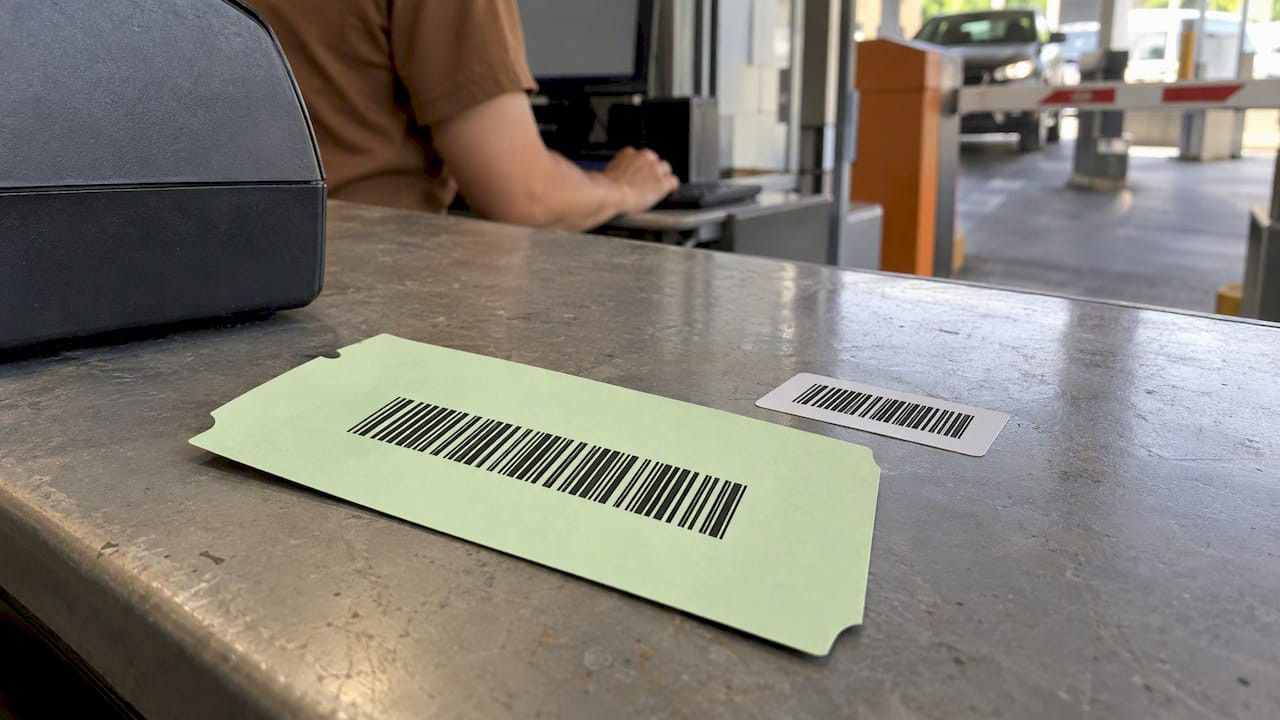
Barcode Label vs Ticket: What Each One Does in Parking

A ticket and a barcode label are not competing products. The ticket is the document that records an entitlement, such as a car in your care, a paid stay or a seat. The barcode is the machine-readable code printed on it. A barcode label is usually a sticker or a printed strip that carries a code and little else. Operators who treat the two as interchangeable end up with codes that scan but prove nothing, or tickets that prove everything but can’t be read by a gate.
This guide explains where the line falls, when a stand-alone label is enough, when you need a full ticket, and how to print the code so it reads the first time.
TL;DR
- A ticket is the record of entry or entitlement. A barcode or QR code is the carrier that lets a reader find and verify that record.
- A bare barcode label identifies an item. A parking or valet ticket also holds a number, a time, a customer stub, terms and often a copy for the vehicle.
- Linear barcodes suit fast, standardized scanning. QR and other 2D codes hold more data and can open a phone-based checkout.
- Print quality decides whether either works: high contrast, adequate size, sequential numbers and a pilot batch.
- For valet and parking, the strongest setup is usually a multi-part ticket with a barcode printed on it, not a label stuck onto a plain slip.
Table of Contents
- The core difference: entitlement versus data carrier
- What a barcode label is, and what it isn’t
- What a ticket adds
- Linear barcodes, QR codes and the choice inside “barcode”
- Paper ticket or digital ticket: the trust boundary
- How the two combine in valet operations
- Records, signatures and reconciliation
- Perspective: what we see from the print side
- How to print a code that scans the first time
- Choosing the right format for your operation
- Where Caymil fits
- FAQ
- Sources
The core difference: entitlement versus data carrier
The Cambridge City Council guidance on using a car park QR bar code shows the division clearly. The code is what the reader at the barrier scans to allow entry and exit. The permission itself sits behind it. The ticket, paper or digital, is the entitlement. The code is the key that lets automated equipment recognize it.
The QR ticketing standard published on GitHub draws the same line for transit: payment and ticketing are separate processes, and a validator mostly checks that a ticket is valid. In practice that means a ticket and its code can have different lifespans. A secure mobile ticket may show a code that refreshes every few seconds while the underlying ticket stays valid for hours.
For a parking or valet operation, this translates into three questions:
- What proves the customer handed over a vehicle or paid for a stay? That is the ticket.
- What lets a scanner, handheld or gate find that record in seconds? That is the barcode.
- What do you keep if the system is offline? That is the paper, with its serial number.
What a barcode label is, and what it isn’t
A barcode label is a printed code, usually on an adhesive or plain stock, designed to identify something: a key bag, a luggage item, a permit, a pallet. It answers “what is this?” when scanned.
Labels earn their place when:
- The item is already tracked elsewhere and you only need a machine-readable identity.
- You are tagging objects such as keys, bags or equipment.
- You need to add a code to an existing form without reprinting it.
Labels fall short when you need the document itself to carry meaning. A label has no customer stub, no printed terms, no carbon copy for the vehicle, no preprinted serial sequence that exposes a missing ticket. If a customer disputes a charge or a damage claim, a sticker with a code is thin evidence compared with a numbered, multi-part ticket both sides hold.
What a ticket adds
A parking, valet or hospitality ticket combines a code with everything an operation needs around it.
| Element | Barcode label | Ticket |
|---|---|---|
| Machine-readable code | Yes | Yes |
| Sequential number visible to staff | Rarely | Standard |
| Customer stub / claim check | No | Yes |
| Copy for the vehicle or key | No | Yes, in multi-part formats |
| Terms and liability language | No | Printed on the ticket |
| Logo and branding | Limited | Full |
| Audit trail for reconciliation | Weak | Strong, through numbering |
| Best used for | Tagging items | Recording a transaction |
The sequential number matters more than most buyers expect. Any break in a numbered run signals a missing ticket, a misuse or a process failure. A label sheet without a visible sequence can’t tell you that.
Linear barcodes, QR codes and the choice inside “barcode”
“Barcode” covers several formats, and the choice affects what your ticket can do.
GS1 separates linear (1D) barcodes from 2D barcodes such as QR codes, which can hold far more data, up to 7,089 numeric characters for a QR code, and can link directly to digital content. Linear codes remain common where speed and standardization matter most. One widely used linear format is Code 128, which appears across shipping, logistics and inventory because it is compact and reads reliably with ordinary scanners.
| Format | Strength | Typical parking or valet use |
|---|---|---|
| Linear (1D), such as Code 128 | Fast, simple, works with laser and imager scanners | Gate or handheld lookup of a ticket number |
| QR (2D) | Phone-friendly, holds more data, can open a link | Digital checkout, “request my car” by text, payment |
| Other 2D codes | Compact, dense | Space-limited tickets and permits |
The real advantage of 2D, according to GS1’s architecture notes on data carriers, is that a code can carry a web address as well as an identifier. A printed ticket can then open gate entry and also give the customer something on a phone, such as valet status or payment options.
Barcodes are not being replaced wholesale. The two families are being used side by side, each where it fits. If you want the format-by-format detail for an event or a lot, our guide to QR vs barcode tickets goes further, and parking barcode formats for operators covers what to settle before a large print run.
Paper ticket or digital ticket: the trust boundary
Operators who search “barcode vs ticket” are often really asking something else: can I trust verification when the network is down?
A paper ticket is a local, static authorization. The number is printed, the stub is in the customer’s hand, and your staff can verify it with nothing but a pen and a log. A code that links to a remote server depends on connectivity and on the server being right. The QR ticketing standard describes this split between local validation and secure server-side checks.
Digital tickets raise the stakes further. Major event platforms explain that mobile tickets use a barcode that refreshes every 15 seconds as protection against fraud and counterfeits. A help page on finding a ticket barcode notes that tickets are meant to be opened in the app, and the code is typically available only a few days before the event. A screenshot of a moving code is a poor substitute, which is why scanners often reject static captures.
That design suits a stadium with its own scanning infrastructure. A valet stand on a hotel driveway has different needs: a durable printed ticket that works in rain, at night and without a signal, with an optional QR for customers who want to request their car by phone.

How the two combine in valet operations
The best valet systems don’t pick one. They print the code on the ticket.
A parking-technology vendor’s valet checkout guide describes the printed-ticket flow: the customer scans the QR code on the valet ticket, and the scan opens a text message with the ticket number already filled in, so the request goes out quickly. The same guide makes a practical point operators often miss. Codes for an on-site parking kiosk and codes for valet digital checkout are different systems. Signage needs to keep them apart, or guests scan the wrong one and your staff field the calls.
A few rules follow from this:
- Print the ticket number in readable type next to the code. Staff need a fallback when a scan fails.
- Keep the claim stub and the vehicle copy numbered identically.
- Tell guests which code is for what, on the ticket and on signage.
- Test the full flow, scan to staff alert, before you print thousands.
If you run valet and want the fundamentals first, Valet Tickets 101 lays out the simple system behind a moving lot, and why barcode tickets make parking garages more efficient covers the garage side.
Records, signatures and reconciliation
A ticket is also a document your accounting team will touch. Signed or numbered slips only protect revenue if someone matches them to the books afterward. The same logic applies in other field businesses that rely on signed delivery slips; a walkthrough of a fuel delivery invoice format shows how signed tickets are matched to accounts payable records. In parking, the equivalent is matching ticket numbers, scan logs and cash or card totals at the end of each shift.
This is where a numbered ticket outperforms a loose label. A gap in the sequence shows up in minutes. Our article on parking ticket security and fraud prevention covers the controls that sit on top of this, and the casino parking barcode integration guide shows how it plays out where volume and cash handling are high.
Perspective: what we see from the print side
We have manufactured parking and valet tickets since 1937, and the question we hear most often is not “label or ticket?” but “why does our barcode fail?” Almost every time, the answer sits in the print, not the code.
Three things cause most of the trouble. The code is printed too small for the scanner in use. The contrast is weak because of ink, stock or a worn ribbon. Or the code was designed without checking it against the actual reader. A thermal or machine-issued ticket needs a different test than a pre-printed one, because the printer and stock decide the final result.

Our view is plain. For parking, valet and hospitality, the ticket should be the primary object, with the barcode printed on it as part of the design. Labels have their place for tagging keys, bags and permits, but they should support a numbered ticket, not replace it. A pilot batch costs little compared with a full run that won’t scan, and it catches sequence errors that digital proofs miss.
We also see operators moving from stamps and magnetic stripe readers toward barcode and QR workflows. UT Austin’s parking office points out that this shift means moving validation away from physical stamps to online portals, and that it is as much a process change as an equipment upgrade. We agree. Plan the staff training and the customer instructions alongside the print order.
— Richard
How to print a code that scans the first time
The code format matters less than the execution. A checklist we would give any operator:
- Match the code to the reader. Confirm what your gate, handheld or phone workflow reads before choosing a format.
- Use high contrast. Dark bars or modules on a light, matte background. Avoid tinted stock behind the code.
- Give the code room. Keep a clear margin around it and don’t squeeze it into a corner to fit a logo.
- Check the size. Codes printed too dense or too tight cause scan failures, and enlarging or re-spacing them is the usual fix.
- Number every ticket. Sequential numbering ties each code to a physical record.
- Print a human-readable number. It is your fallback.
- Pilot first. Scan a small batch under real conditions, in sun, in rain, from a moving vehicle window, before you commit.
For systems that require a specific format, our overview of parking system tickets for Amano, TIBA, SKIDATA, FLASH and others explains compatibility.
Choosing the right format for your operation
| Your situation | Best fit |
|---|---|
| Hotel or casino valet with staff scanning at the stand | Multi-part ticket with a printed barcode |
| Valet where guests request cars by phone | Ticket with a printed QR code linked to your checkout flow |
| Garage with automated gates | Machine-issued or dispenser ticket in the format your equipment reads |
| Event lot with temporary staff | Numbered, barcoded tickets with simple stubs |
| Tagging keys, bags or permits | Barcode labels or tags, alongside numbered tickets |
Where Caymil fits
We print stock and custom tickets with sequential numbering, barcoding, logos, security features and multi-part carbonless formats. Our range includes 2-part valet tickets, 3-part valet tickets, 4-part valet tickets and barcoded valet tickets, plus machine-issued valet tickets and dispenser and spitter tickets compatible with major parking systems. Our site lists barcoded valet tickets at $42-$48, and ticket racks are listed at $125, so you can price a full valet stand in one order. If you aren’t sure which format suits your reader, start from the Caymil home page and tell us what equipment you run.
FAQ
Is a barcode the same as a ticket?
No. The ticket is the document that represents the entitlement, such as a parked car or a paid stay. The barcode is the code printed on it so a reader can find that record quickly. You can have a ticket without a barcode, and a barcode without a meaningful ticket, but neither is as useful alone.
Are QR codes replacing barcodes on parking tickets?
Not entirely. GS1 treats linear and 2D codes as complementary standards. Linear barcodes stay common for fast, standardized scanning, while QR codes are growing where phones and linked content matter, such as digital valet checkout. Many operators print the code their equipment reads and add a QR code for the guest.
Can I use a barcode label instead of a printed valet ticket?
You can for tagging keys or bags, but not as a full replacement. A label lacks the numbered sequence, customer stub, vehicle copy and printed terms that make a valet ticket useful in a dispute or an audit. A numbered multi-part ticket with the barcode printed on it gives you both.
Why won’t my ticket barcode scan?
The usual causes are a code printed too small or too dense, low contrast from worn ribbons or tinted stock, or a format your reader doesn’t support. Adjusting the size and spacing of the code often fixes it. Test a small batch with your actual scanners before ordering a large run.
Sources
- Using a Car Park QR Bar Code, Cambridge City Council
- QR code ticketing standard, GitHub
- Learn about 2D barcodes, GS1
- Data Carriers and GS1
- Barcode vs QR Code: The Real Difference
- Why do my tickets have a moving barcode? Ticketmaster Help
- How do I find my ticket barcode? Ticketmaster Help
- Valet + Digital Ticket Checkout customer guide
- Garage equipment upgrades, UT Austin Parking