
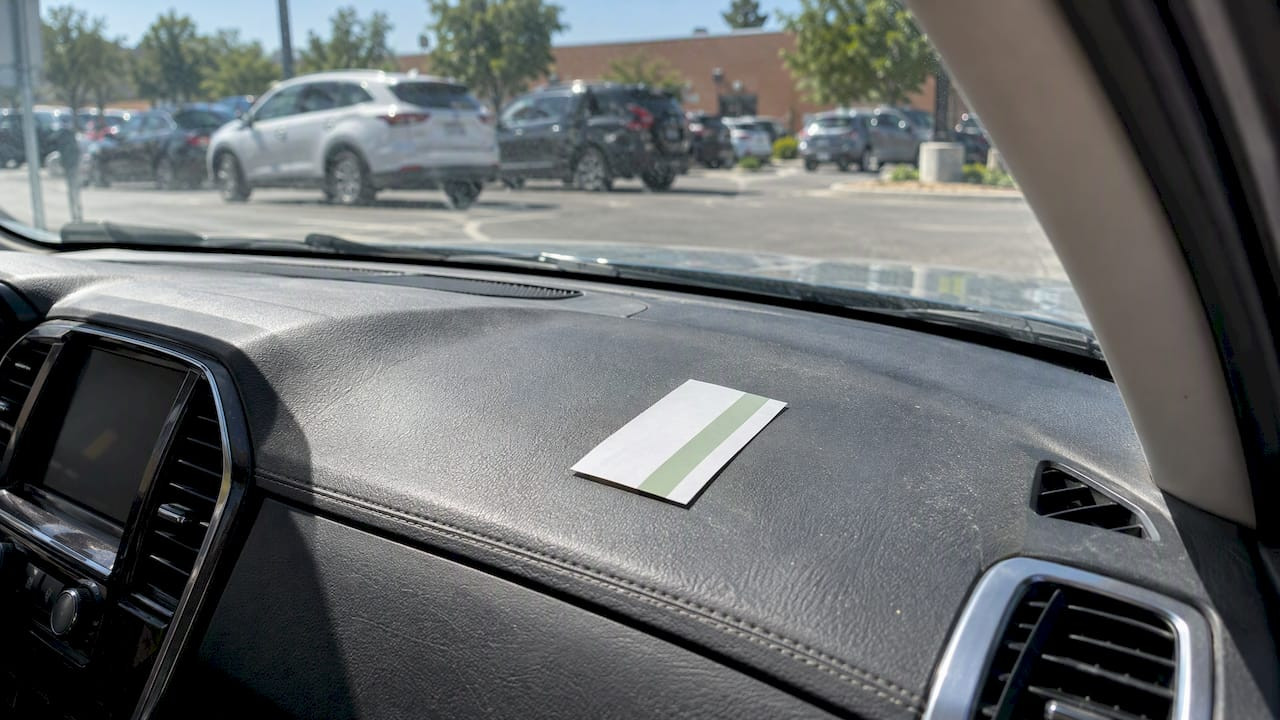
Heat Resistant Tickets for Parking and Valet Operations

A heat resistant ticket is one that stays readable and scannable after it has spent hours on a dashboard, in a hot kiosk or in a sun-baked ticket rack. For parking and valet operators, that usually means choosing the right media (conventional paper stock, a high-temperature thermal grade or a synthetic stock), then setting printers and storage so the ticket survives until the guest returns. The details below cover the temperatures that matter, the failure modes and a practical way to specify tickets for your equipment.
TL;DR
- “Heat resistant” has no single standard for tickets. Ask for a stated temperature rating and a test condition, not a general claim.
- Standard direct thermal paper can darken or fade well below the temperatures a parked car reaches. High-temperature grades and printed (non-thermal) stock handle heat far better.
- Printer darkness settings, storage and UV exposure affect readability as much as the paper does.
- Valet operations that need carbonless copies and numbering are usually best served by printed multi-part tickets, which do not rely on heat to form the image.
- Match the ticket to your equipment and your climate before you order in volume.
Table of Contents
- What “heat resistant” means for parking and valet tickets
- Why heat is a real problem in parking
- What temperatures tickets can handle
- Materials and printing methods compared
- How heat affects readability, barcodes and machines
- Perspective: what we tell operators
- How to choose tickets for your site
- A simple field test before you order
- Common mistakes to avoid
- Caymil tickets built for the job
- FAQ
- Sources
What “heat resistant” means for parking and valet tickets
On a search results page, “heat resistant tickets” pulls up food display tags and craft labels. Those are a different product. In parking and valet work, the question is narrower: will the ticket still be legible and still scan when the customer returns, after it has been exposed to heat, sunlight and handling?
There is no universal ticket standard for this. What exists are manufacturer specifications for particular materials, each tested under its own conditions. That is why a useful definition has three parts:
- A temperature. The point at which the material begins to discolor or the image begins to degrade.
- A duration. A material that tolerates a brief spike may not tolerate eight hours in a closed vehicle.
- An exposure condition. Dry heat, direct sunlight through glass, humidity and abrasion each behave differently.
When a supplier tells you a ticket is heat resistant, ask which of the three it is describing.
Why heat is a real problem in parking
Tickets in this industry live in harsh places. Valet claim stubs ride on dashboards and in cup holders. Gate and kiosk tickets are printed inside enclosures that warm up under sun and electronics. Hang tags hang from mirrors behind glass. Racks and podiums sit outdoors at hotel entrances and event venues.
The damage rarely looks like melting. It shows up as three practical failures:
- Background darkening. Heat-sensitive coating reacts across the whole ticket, and the printed text loses contrast against the background.
- Fading. The printed image weakens, especially with UV exposure.
- Scan failures. A barcode with reduced contrast stops reading at the gate, and the operator has to look up the ticket manually.
One manufacturer’s guide to thermal paper describes a three-month dashboard test in which all samples became nearly or completely illegible. Three months is far longer than any valet stay, but the test shows how quickly a dashboard stresses direct thermal paper over time. Hot climates and long-term parkers get closer to those conditions than most operators assume.
What temperatures tickets can handle
The figures below come from manufacturer spec sheets. They are useful because they show the range between ordinary and high-temperature stocks. They are not guarantees for your site, since each was measured under the manufacturer’s own test method.
| Material type | Published temperature figure | What it tells you |
|---|---|---|
| Standard-grade direct thermal receipt paper (indoor use) | Service range of -40°F to 140°F | Fine for a climate-controlled booth. A closed car in summer can exceed the top of this range. |
| Thermal tag and ticket paper | Minimum image density of 0.80 ODU after 24 hours at 80°C (176°F) dry heat | A heat test with a numeric pass line for the image. |
| High-temperature receipt paper | Temperature resistance up to 194°F, suggested for windshield receipts | A grade built for the dashboard use case. |
| Car park ticket thermal paper | Start temperature of approx. 90°C (194°F), significantly higher than conventional thermal papers | The point at which the coating starts to react is deliberately raised for parking. |
| Thermal top-coated label paper listed as suitable for parking tickets | Exposure above 50°C (122°F) may cause premature imaging or discoloration | Even a paper recommended for parking has a limit, and it is lower than many people expect. |
The spread from 50°C to 90°C is the point. Two papers both sold for parking can differ widely in how much heat they tolerate before the background turns gray. Read the number, not the marketing line.
Remember also that surface temperatures in a parked vehicle or an unshaded rack can run well above the air temperature on a forecast. Plan around the worst surface you expect, not the average day.
Materials and printing methods compared
Not every heat problem needs the same fix. The main options for parking and valet use fall into four groups.
Printed paper stock (no heat-reactive coating)
Traditional printed tickets use ink on paper or card. The image is not formed by heat, so a warm dashboard does not darken the background. Sequential numbers, logos and security features are printed in advance. Multi-part carbonless formats add copies for the customer, the key tag and the office without any thermal process. For valet operations, this is the most heat-tolerant approach and often the simplest.
Our guide to what really lasts in parking ticket paper goes deeper on stock choices.
High-temperature thermal paper
For machine-issued tickets, thermal paper is standard because it needs no ribbon or ink. High-temperature grades raise the point at which the coating reacts, which is the property that matters on a dashboard. One manufacturer states its high-temp receipt grade has 12 times the life of conventional direct thermal products under fluorescent bulbs and partial UV exposure through a window. That figure applies to that product under that test, so treat it as a sign of the direction of improvement, not a promise for every site.
Smooth-surfaced tag and ticket grades also matter for equipment. One high-sensitivity grade is described as having a smooth surface that extends printhead life and supports barcode reliability, which is relevant to gate systems that depend on clean scans.

Synthetic thermal media
Synthetic stock is plastic-based rather than paper. A thermal paper guide notes that synthetic thermal media offer high tear resistance and durability, with excellent resistance to water, adverse conditions and fading. It costs more than paper, so it is best kept for permits, outdoor tags or tickets that must last for days.
Consumer label rolls
Desktop label rolls are not designed for this job. One printer manufacturer advises that its standard rolls should not be used outdoors where durability is required, because they can fade or peel under UV light, wind or rain. If a ticket will live outside, choose media made for it.
How heat affects readability, barcodes and machines
Heat does not act alone. These are the effects operators most often meet:
- UV and light. UV can discolor thermal paper and fade the printed image, according to the same thermal paper guide. A ticket on a sunlit dashboard gets heat and UV together.
- Print darkness. The guide advises a high printer density or contrast setting to fully develop the image and minimize fading. Low contrast settings may increase speed, but they compromise development and make the ticket more prone to fading. If your printer is set light to run faster, a ticket can look fine at the counter and fail by afternoon.
- Static sensitivity. The guide also says thermal papers with high static sensitivity are more resistant to degradation from high temperatures. Ask for this figure when comparing rolls.
- Barcodes. A barcode fails when the contrast between bars and background drops. Even a legible human-readable line can hide a scanner problem.
- Machine dispensing. Heat and humidity make paper curl or stick. Rolls and fanfold stacks stored near hot equipment can feed unevenly and jam dispensers.
Our articles on thermal print darkness settings, media and storage and on protecting tickets from moisture cover the settings and storage side in detail.
Perspective: what we tell operators
We have printed parking and valet tickets since 1937, and the same pattern repeats. An operator complains that tickets fade, and the cause is rarely only the paper. It is usually a combination: a light printer setting, rolls stored in a hot back office, and a ticket that sits on a dashboard all day.

Our advice is to start with how the ticket is used, not with the material. A valet operation that issues a numbered, multi-part ticket and hands the guest a stub does not need a thermal process at all. A printed carbonless ticket carries sequential numbers, a logo, a barcode where needed and no heat-sensitive coating. For that reason we point most hotel, casino and event valet customers to printed 2-part, 3-part or 4-part valet tickets.
Gate and kiosk operations are different. They need machine-issued tickets, and thermal is the practical route. There, ask for the temperature and the test behind it, pair the roll with your printer model and keep stock cool. Our checklist on stopping thermal ticket fading puts that into steps.
— Richard
How to choose tickets for your site
Use these criteria in order. Each one removes options until the right ticket is clear.
1. How is the ticket issued?
Hand-written or pre-printed tickets fit valet stands. Printed ticket machines and spitters need machine-issued formats. Gate systems usually need thermal rolls or barcoded or magnetic stripe tickets matched to the equipment. Compatibility with your system comes first, because a heat-proof ticket that your reader will not accept is of no use.
2. Where does the ticket go after it is issued?
- Handed to a guest who keeps it in a pocket or wallet: standard stock is usually enough.
- Left on a dashboard or hung from a mirror: choose a high-temperature grade, printed stock or synthetic media.
- Kept on a key tag in a covered booth: heat is less of a concern; handling and moisture matter more.
3. How long must the ticket survive?
A two-hour valet stay, an overnight hotel guest and a monthly permit holder need different materials. The dashboard test mentioned earlier shows that long exposure can defeat paper that performs well for a few hours. For stays measured in weeks, consider synthetic stock or a permit format, and see our overview of parking ticket material options.
4. What is your climate and storage?
Operators in hot regions, or whose rolls sit in unconditioned rooms, should treat storage as part of the specification. Keep stock out of sun and away from heat sources, and rotate older rolls first.
5. What do your printer and scanner need?
Check the printer model, the print head type and the barcode symbology. Set the print darkness at a level that fully develops the image, and test a ticket by leaving it somewhere realistic before ordering in volume.
A simple field test before you order
Spec sheets are a starting point. A short test on your own site gives better evidence:
- Print five tickets on the candidate stock, using your normal printer settings.
- Place them where tickets really end up: a dashboard in the sun, a closed car, a rack at the entrance.
- Check them at the end of a typical stay, then again at the longest stay you allow.
- Scan each barcode and read each printed line. Look at contrast, not only at whether the text is visible.
- Keep one ticket indoors as a control, so you can see how much change comes from the site.
If the tickets pass, order. If they fade or the background darkens, raise the print darkness setting, try a higher-temperature grade or move to printed stock.
Common mistakes to avoid
- Assuming all thermal paper is equal. The published start temperatures and service ranges above show how much grades differ.
- Lowering print darkness to save printhead wear or speed. The result is an image that is not fully developed and fades sooner.
- Using label rolls designed for desktop use. They are not made for outdoor or dashboard exposure.
- Storing rolls in the hottest room. Heat can start to affect paper before it is printed.
- Skipping the field test. A material that works in one garage may not work in another, so test it.
Caymil tickets built for the job
Caymil manufactures stock and custom parking, valet and hospitality tickets, with sequential numbering, barcoding, logos, security features and multi-part carbonless formats. For machine-issued operations we offer machine issued valet tickets, dispenser and spitter tickets and thermal rolls such as the TIBA parking thermal rolls MP60. Our products are compatible with major parking systems, and we ship nationwide from stock. If you are not sure which format suits your heat conditions, browse our full range at caymil.com and talk to us about your equipment and your climate before ordering.
Our guides on printed parking tickets, thermal ticket printing for events and parking and thermal reactive ink tickets give further detail on each approach.
FAQ
What temperature can a parking ticket withstand?
It depends on the material. Standard indoor thermal receipt paper is specified for a service range of up to 140°F, while a high-temperature grade is listed as resistant up to 194°F. Printed ticket stock has no heat-reactive coating, so it avoids that failure mode. Always check the test condition behind any figure.
Why do thermal parking tickets turn black or fade?
Thermal paper forms its image from a heat-sensitive coating, so excess heat can darken the background and reduce contrast. UV light can also discolor the paper and fade the print, according to a thermal paper guide. Higher print darkness and cooler storage both help.
Are valet tickets better printed than thermal?
For hand-issued valet work, usually yes. A printed multi-part ticket carries numbers, a barcode and carbonless copies without relying on heat to form the image. Thermal remains the practical choice for machine-issued gate and kiosk tickets.
Can heat affect barcode scanning?
Yes. Heat and UV reduce the contrast between bars and background, and low contrast is a common cause of unreadable barcodes. Test scans on tickets that have been exposed to realistic conditions before you commit to a stock.
Sources
- Thermal paper tag and ticket spec sheet, 80°C dry heat test
- High-temp receipt paper spec sheet, up to 194°F
- Indoor receipt paper spec sheet, -40°F to 140°F
- Thermal paper for car park tickets, start temperature data
- Guide to thermal paper, dashboard test and print settings
- Thermal top-coated paper data sheet, parking ticket use
- Label printer user’s guide, outdoor use advice